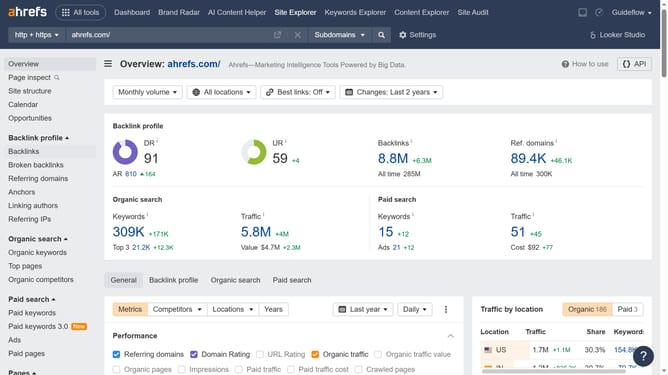
How to research competitor display URLs in Ahrefs
Here is how to research competitor display urls in ahrefs
- First click on "Site Explorer" in the top navigation menu
- In the search bar, click the domain input field to enter the competitors URL
- Click the "Search" button to analyze the URL
- Next click on "Paid keywords" in the left sidebar menu
- The display URLs will be listed next to the ad copy. These are the landing page URLs shown in the ads
Why should you research competitor display URLs in Ahrefs
Ahrefs is a comprehensive SEO toolset designed to amplify your search engine visibility.
Researching competitor display URLs in Ahrefs allows you to gain insights into the online strategies of rivals by analyzing the URLs driving their traffic. This feature helps you comprehend which pages are successful in capturing audience interest.
By exploring competitor display URLs, you can identify content gaps, develop new content ideas, and refine your own strategies to boost your site's performance. It's a critical step to stay competitive in the ever-evolving digital landscape.
Last update