How to export keyword difficulty data in Ahrefs
Here is how to export keyword difficulty data in ahrefs
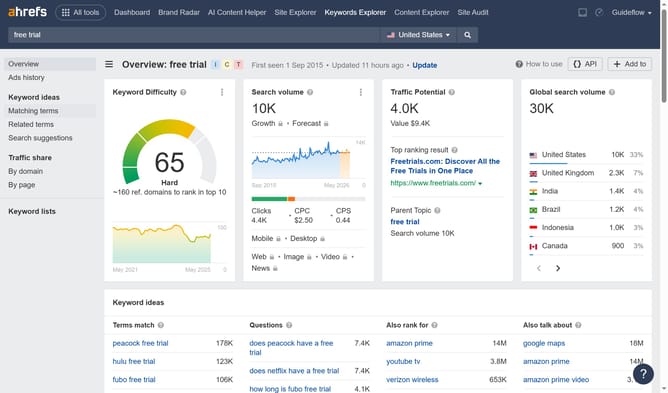
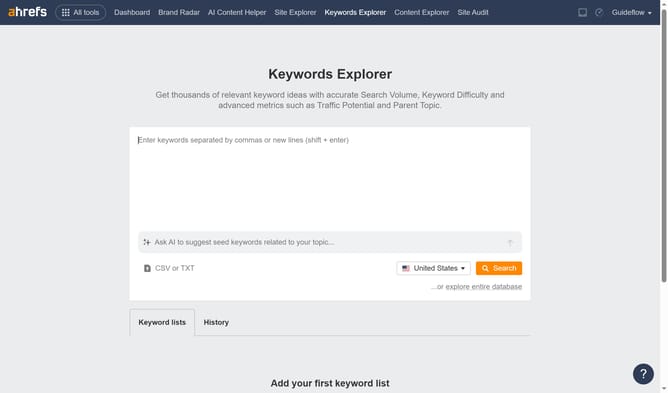
- In the top navigation menu, click on the "Keywords Explorer" tab
- Click on the text input field to enter keywords
- Click the "Search" button in the search section to perform the search
- Next click the "More actions" button in the Keyword Difficulty widget
- Click on the "Export" option in the Keyword Difficulty widget's menu
Why should you export keyword difficulty data in Ahrefs
Ahrefs is a powerful tool designed to enhance your SEO strategies by delivering comprehensive insights into your online performance.
Exporting keyword difficulty data in Ahrefs is a valuable feature that empowers you to quantify how challenging it is to rank for specific keywords. This capability puts actionable data at your fingertips, enabling you to prioritize opportunities effectively.
By accessing and analyzing this detailed information, you can strategically focus your energies on keywords that promise the best return on investment, boosting your site's visibility and success.
Last update