How to rename a view in Folk
Here is how to rename a view in folk
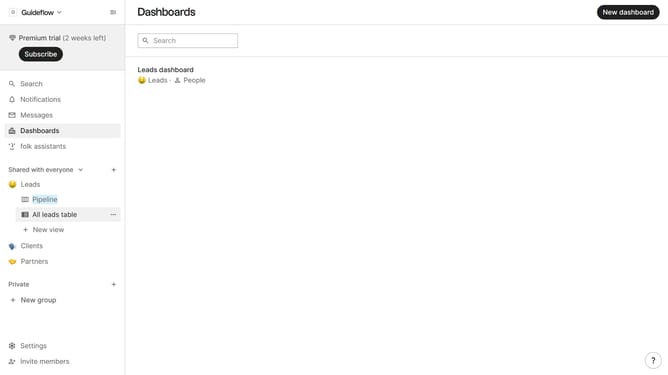
- First, from the sidebar, click on a view that you want to rename
- Then, click on the three dots next to the view that you want to rename
- Next, click the name input field and replace it to your desired name
- Finally, click on anywhere outside the text input field to save the new name of the view
Why should you rename a view in Folk
Folk is a collaborative platform designed to simplify team interactions and streamline communication.
Renaming a view in Folk allows users to personalize their workspace, making it easier to manage and locate information efficiently.
This feature enhances organization, enabling teams to tailor views to fit their specific needs and workflows.
Ultimately, customizing views contributes to a more seamless and intuitive user experience, promoting better productivity and collaboration.
Last update