Mural
Mural is a visual collaboration platform for brainstorming, planning, and running remote workshops on a shared canvas.
Website
Industry
Design
Share this article:

How to rename a room in Mural

Here is how to rename a room in mural

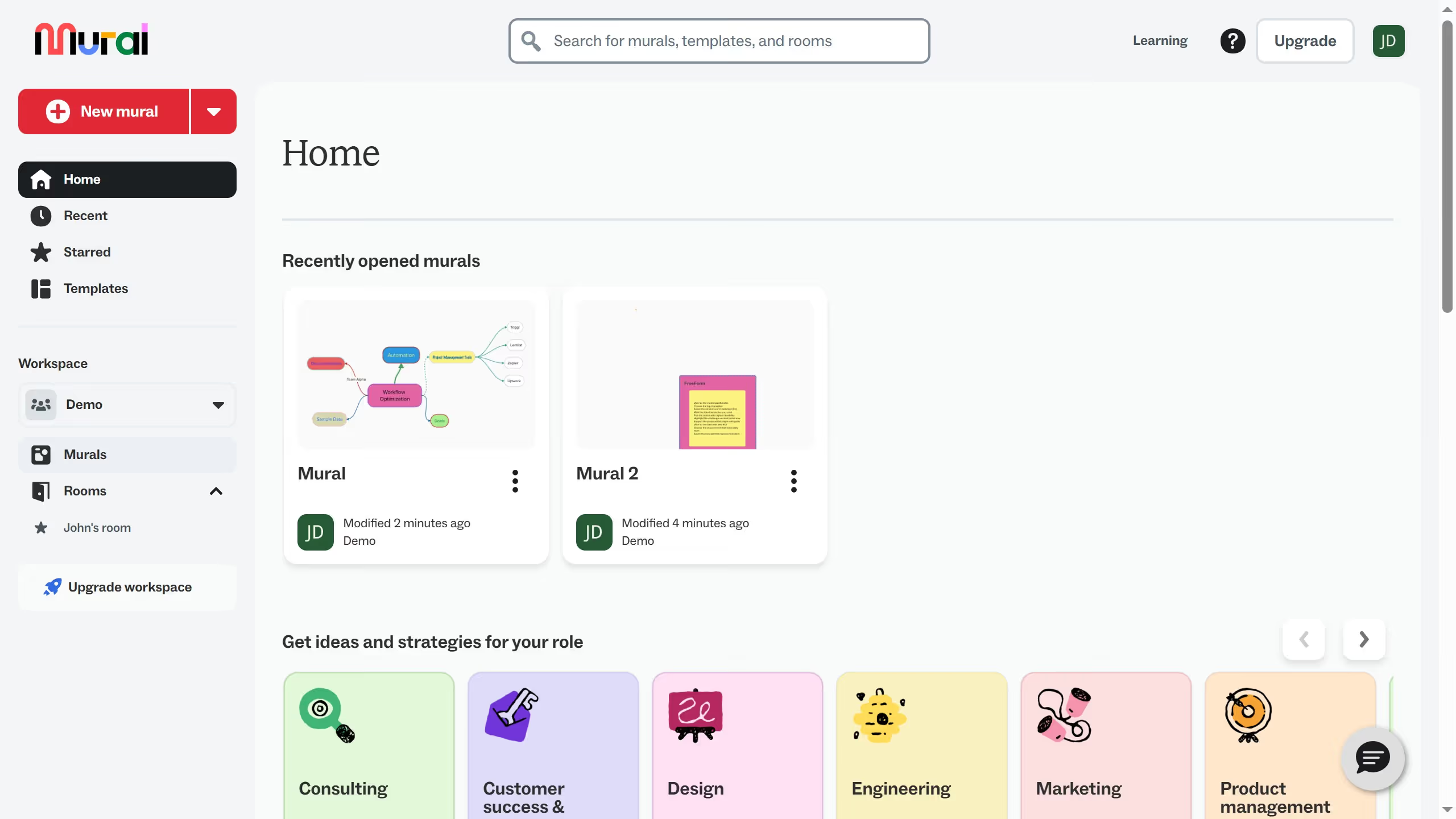
  1. First click on "Rooms" item in the sidebar to navigate to the rooms section
  2. Then click on the room name of the room that you want to manage
  3. Next click on the room title and edit it
  4. Finally click elsewhere to confirm the name change

Create your own interactive guide with Guideflow

Why should you rename a room in Mural

Mural is a digital workspace designed to empower teams to collaborate visually and creatively anywhere in the world.

Renaming a room in Mural is a seamless way to keep your collaborative spaces organized and relevant. This feature allows you to tailor the workspace to reflect current project goals or team dynamics.

Rebranding a room enhances clarity, ensuring all team members are aligned on which projects are of focus. It cultivates a sense of belonging by accurately defining the space in which ideas are born and shared.

By maintaining a well-labeled environment, you foster efficiency, streamline communication, and make navigation intuitive for all participants.

Last update
March 16, 2026
Cursor MariaA cursor points to a button labeled "James."

Create your first demo in less than 30 seconds.