How to remove hidden filter from events in Mixpanel
Here is how to remove hidden filter from events in mixpanel
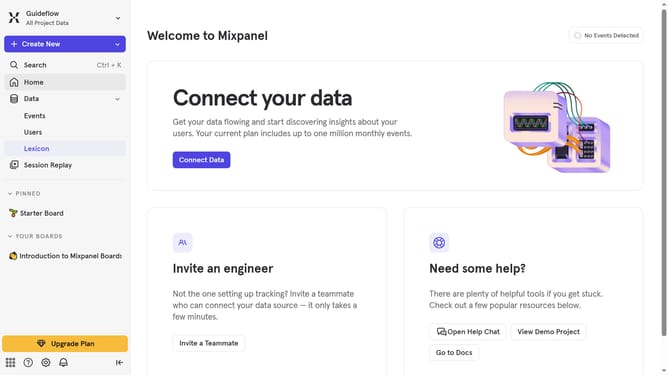
- First click on "Lexicon" in the left sidebar
- Then click on "Filter" button
- Finally uncheck the "Hidden" checkbox
Why should you remove hidden filter from events in Mixpanel
Mixpanel is a powerful analytics tool designed to help businesses understand user engagement and drive growth.
Removing hidden filters from events in Mixpanel allows you to see a complete picture of your data without any obstructions.
This feature ensures that you have clear access to vital analytics, enabling you to make well-informed decisions rapidly.
By having a holistic view of your event data, you can refine strategies and enhance user experience with precision.
Last update