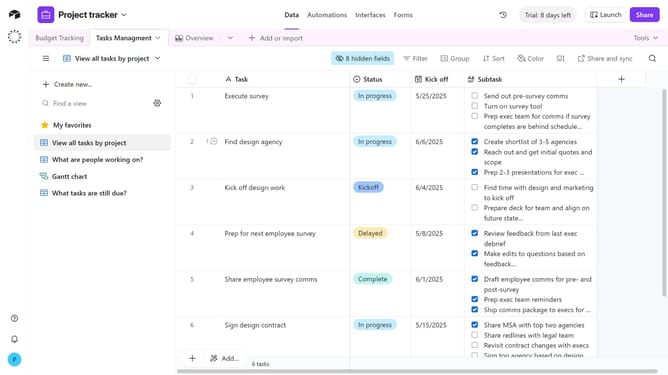
How to open the extensions panel on a base in Airtable
Here is how to open the extensions panel on a base in airtable
- First, open the base where you want to manage extensions
- Next click on the "Tools" dropdown menu in the top-right corner
- To open the extensions panel, click on the "Extensions" option in the Tools menu
- Then the extensions panel will appear on the right-hand side of the base
Why should you open the extensions panel on a base in Airtable
Airtable is a dynamic platform designed for seamless collaboration and powerful data organization.
Opening the extensions panel on a base is an intuitive feature that expands the functionality of your database.
This panel allows you to integrate a variety of tools and services directly into your workspace, enhancing productivity and streamlining workflows effortlessly.
By accessing the extensions panel, users unlock a world of possibilities to tailor their Airtable experience, making data management more efficient and effective.
Last update