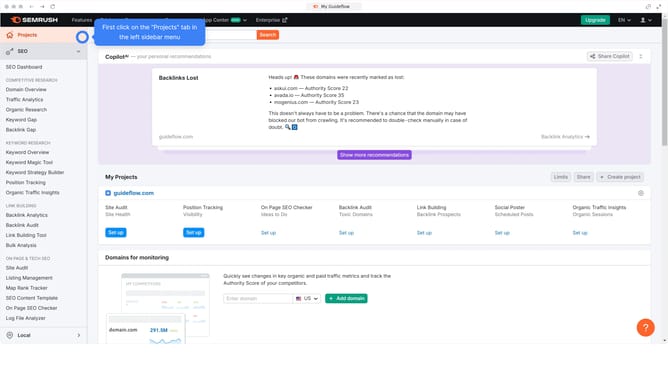
How to monitor daily backlinks in Semrush
Here is how to monitor daily backlinks in semrush
- First click on the "SEO" section in the left sidebar menu
- Then click on "Backlink Analytics" option in the left sidebar menu
- Next enter your domain in the domain input field at the top of the page
- Click the "Analyze" button to start the backlink analysis
- Click on the "Backlinks" tab in the main content area
- Click on "New" filter in the backlinks filter options
- Select "Time period" filter from the filter options
- Choose the date you want to analyze from the time period dropdown menu
- Finally click the "Apply" button to generate the results
Why should you monitor daily backlinks in Semrush
Semrush is a comprehensive tool designed to elevate your digital marketing strategy.
One of its powerful features is the ability to monitor daily backlinks, offering users a detailed view of their website's link profile. This feature enables businesses to stay informed about their site's credibility and authority in real time.
By keeping a pulse on new and lost backlinks, users can quickly identify link building opportunities and potential issues, ensuring they maintain a healthy and strong backlink portfolio.
Regular backlink monitoring can significantly enhance SEO efforts, leading to improved search engine rankings and increased visibility online.
Last update