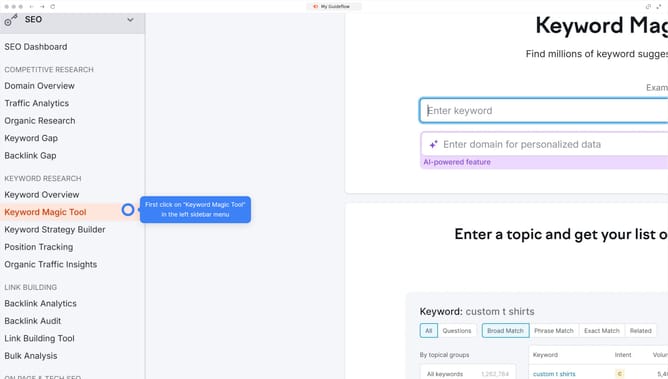
How to check transactional traffic in Semrush
Here is how to check transactional traffic in semrush
- First click on the "SEO" section in the main navigation menu
- Then click on "Domain Overview" in the left sidebar menu
- Enter your domain in the domain search field
- Click the "Search" button to analyze the domain
- Scroll down to the "Top Organic Keywords" section
- Click "View details" to proceed
- Click the dropdown on the "Intent" section and select "Transactional" to filter the keyword list
Why should you check transactional traffic in Semrush
Semrush is a leading digital marketing tool designed to enhance online visibility and solve marketing challenges for businesses.
Transaction traffic in Semrush provides insights on how users interact with your website in terms of making purchases or inquiries. This feature helps businesses understand their audience's buying behavior, focusing on keywords that drive sales.
Leveraging this information can dramatically improve your website’s performance by tailoring content and strategies to boost conversions. It’s an essential feature for refining campaigns and maximizing ROI.
Last update