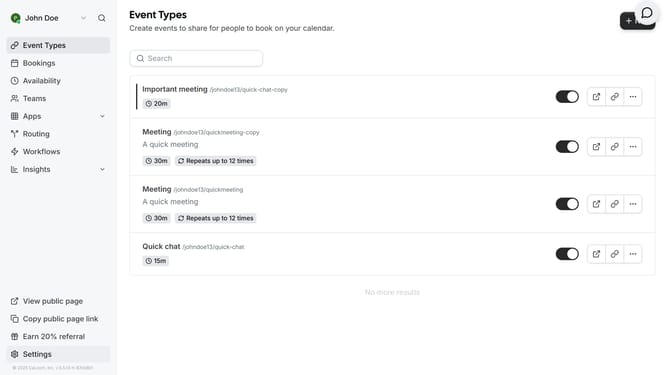
How to limit total booking duration per day in Cal.com
Here is how to limit total booking duration per day in cal.com
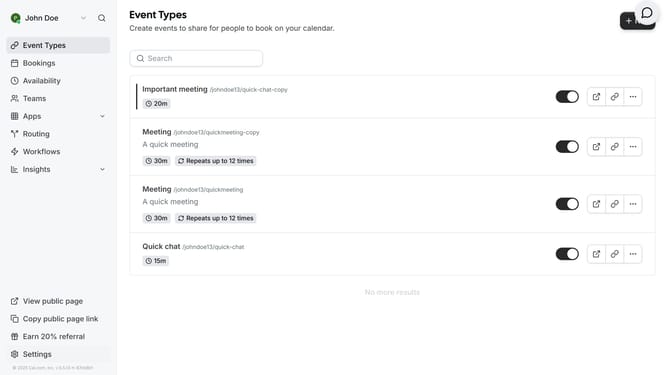
- First click on "Event Types" item in the sidebar
- Then click on an event in the list of event types
- Next click on "Limits" option in the left settings panel
- Then click on "Limit total booking duration" toggle switch
- Then click on duration input field and enter type in your preferred duration
- Finally click on "Save" button in the top-right corner
Why should you limit total booking duration per day in Cal.com
Cal.com is a versatile scheduling platform designed to streamline your booking processes effortlessly.
One of its remarkable features is the ability to limit total booking duration per day, ensuring you maintain a balanced schedule without overwhelming your calendar.
This control allows you to protect your time and energy, promoting productivity and focus throughout your day. By using this feature, you can prevent burnout, evenly distribute your workload, and ensure each meeting or appointment receives the necessary attention.
Ultimately, this thoughtful scheduling capability enhances both efficiency and work-life balance.
Last update