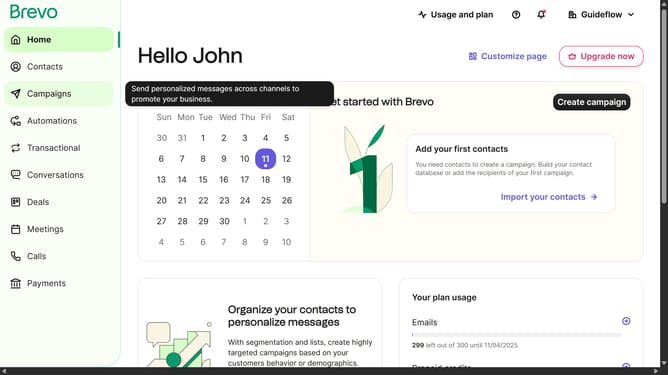
How to generate contact list in Brevo
Here is how to generate contact list in brevo
- First click on "Contacts" in the left sidebar navigation menu
- Then click on "Lists" in the submenu under Contacts section
- Next click on the dropdown button in the "Lists" main menu section
- Then click on the contact folder from the expanded dropdown menu
- In the top-right corner of the Lists page, click on the "Create a list" button
- In the popup modal form, click on the text input field labeled "Name of the list" to enter your list name
- Finally click on the "Create list" button at the bottom-right of the modal to create your new list
Why should you generate contact list in Brevo
Brevo is a dynamic platform designed to simplify and amplify your communication strategies.
Generating a contact list in Brevo is intuitive and efficient, providing you with the foundation for successful email marketing campaigns.
This feature allows you to effortlessly compile, organize, and update your contacts, ensuring you always reach your intended audience effectively.
With streamlined list generation, Brevo enhances your ability to manage relationships and boost engagement seamlessly.
Last update