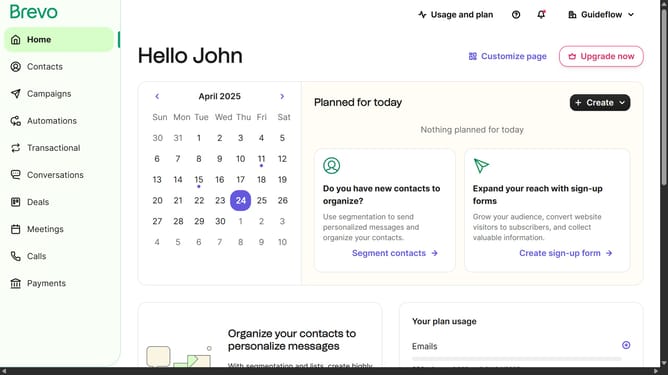
How to access the API key in Brevo
Here is how to access the api key in brevo
- First click on the "Guideflow" button in the top-right header
- In the dropdown menu, click on "SMTP & API" option
- Finally select the "API Keys" tab in the SMTP & API settings page
Why should you access the API key in Brevo
Brevo stands as a versatile platform designed to optimize communication solutions across various channels.
Discovering the API key in Brevo is pivotal for seamless integration and enhanced functionality. With this key, you can effortlessly connect Brevo to other applications, unlocking automated workflows that conserve time and resources.
Harnessing the power of Brevo's API key ensures data exchange is smooth and secure, promoting efficient operations while enabling personalized interactions that drive success.
Last update