How to filter organic keywords by volume in Ahrefs
Here is how to filter organic keywords by volume in ahrefs
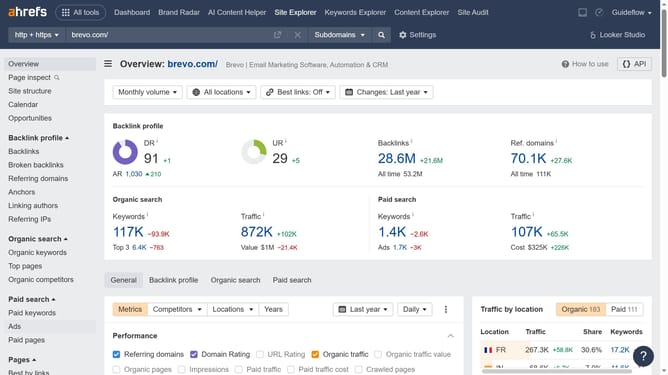
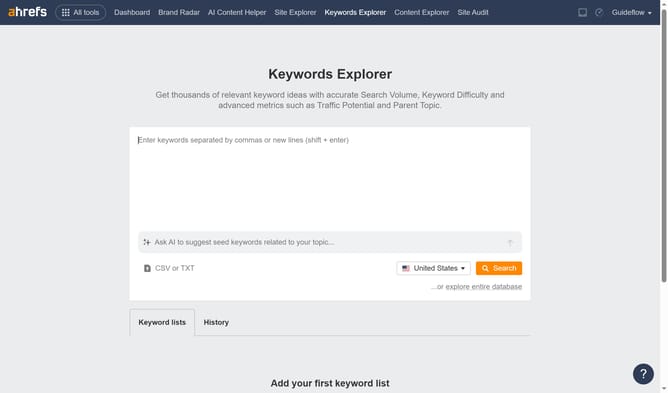
- First click on "Site Explorer" in the top navigation menu
- In the search bar, click the "Domain or URL" input field
- Type the name of the website in the domain input field
- Click the search button to analyze the domain
- In the left sidebar, click on "Organic keywords" under the "Organic search" section
- Click the "Volume" filter button in the filter toolbar
- Set the "From" and "To" values for your volume filter to define the desired range
- Click the "Apply" button
- Click the "Show results" button to apply the volume filter
Why should you filter organic keywords by volume in Ahrefs
Ahrefs is a powerful tool designed to enhance your SEO strategy by offering comprehensive insights into search engine metrics.
One standout feature is the ability to filter organic keywords by volume, allowing users to efficiently target the most impactful keywords for their content.
By doing so, users can prioritize their efforts on keywords that deliver the most significant search traffic potential, ensuring maximum visibility and return on investment.
This feature streamlines keyword research, making it easier to devise data-driven strategies for improved search rankings.
Last update