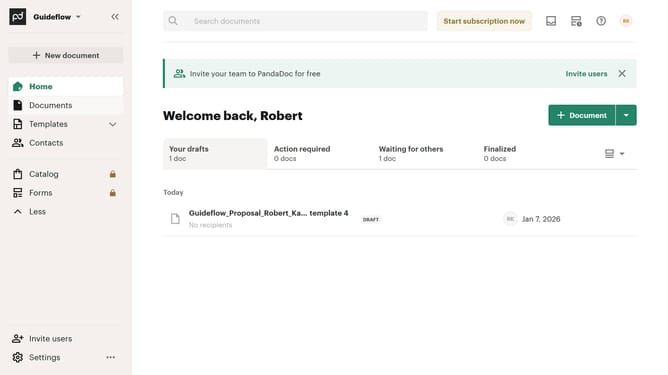
How to filter archived documents by completed status in PandaDoc
Here is how to filter archived documents by completed status in pandadoc
- First click on the "Documents" item in the left sidebar navigation menu
- Then click on the "Archived" tab in the top navigation bar of the documents section
- Next click on the "Status" dropdown filter button to open the status filter menu
- Then click on the "Completed" checkbox option in the status filter dropdown menu
- Finally click on the "Apply" button to apply the selected status filter
Why should you filter archived documents by completed status in PandaDoc
PandaDoc is a versatile document automation platform designed to streamline the creation, management, and tracking of digital documents.
An essential feature of PandaDoc is its ability to filter archived documents by their completed status, greatly enhancing document management efficiency. This feature allows users to swiftly locate documents that have been finalized, ensuring quick retrieval and reference.
By filtering for completed documents, you can effortlessly keep your document repository organized, saving time and reducing the complexity of document handling.
This targeted filtering not only improves productivity but also enhances record-keeping and compliance with ease and precision.
Last update