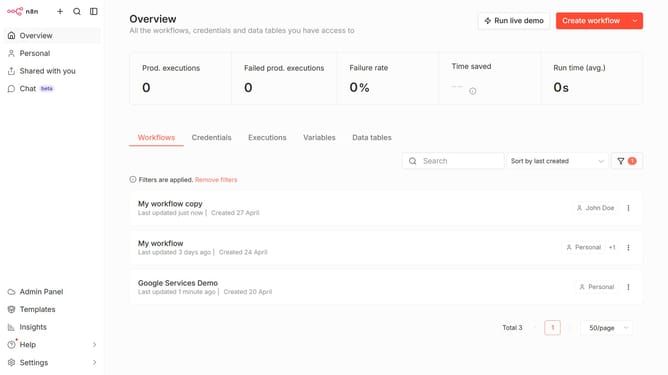
How to enable two-factor authentication in n8n
Here is how to enable two-factor authentication in n8n
- First click on the "Settings" button in the left sidebar
- Then click on "Personal" in the left sidebar
- Then click on the "Enable 2FA" button
- Finally click on the "Save" button
Why should you enable two-factor authentication in n8n
n8n is an innovative workflow automation tool designed to streamline complex tasks with ease.
Enabling two-factor authentication (2FA) in n8n significantly enhances security by adding an extra layer of protection to your account. This feature ensures that unauthorized access is prevented, safeguarding your sensitive data effectively.
Using 2FA in n8n is crucial as it deters potential breaches while promoting peace of mind. By securing your workflows, you maintain the integrity and confidentiality of your automated processes seamlessly.
Last update