How to embed video in Mailchimp
Here is how to embed video in mailchimp
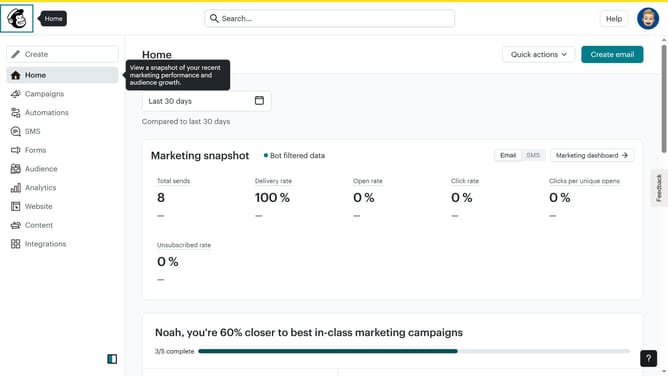
- First, click on the "Create" button in the top navigation bar
- Then click on the "Design Email" button in the regular email section
- Next, click on the "Design email" button in the email content section
- Click on the "Apply" link in the minimal template layout
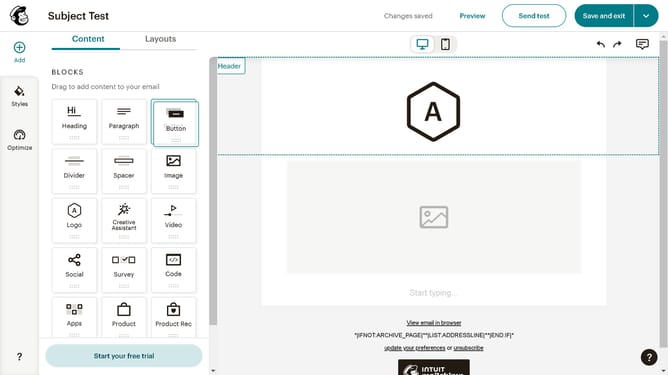
- Then click and hold on the "Video" block option in the content blocks sidebar
- Then drag and drop the "Video" block option in the email template
- Enter the video URL in the "Please enter a URL" field
- Finally, click on the "Done" button in the top left corner
Why should you embed video in Mailchimp
Mailchimp is a versatile platform designed to empower users in orchestrating powerful email marketing campaigns.
Embedding video in Mailchimp is a dynamic feature that enhances engagement by delivering visually compelling content directly to your audience's inbox.
By incorporating videos, you can amplify storytelling, capture attention quickly, and foster a more interactive experience, which ultimately can lead to higher conversion rates.
This feature is essential for modern marketers aiming to enhance their communication strategy and maintain audience interest.
Last update