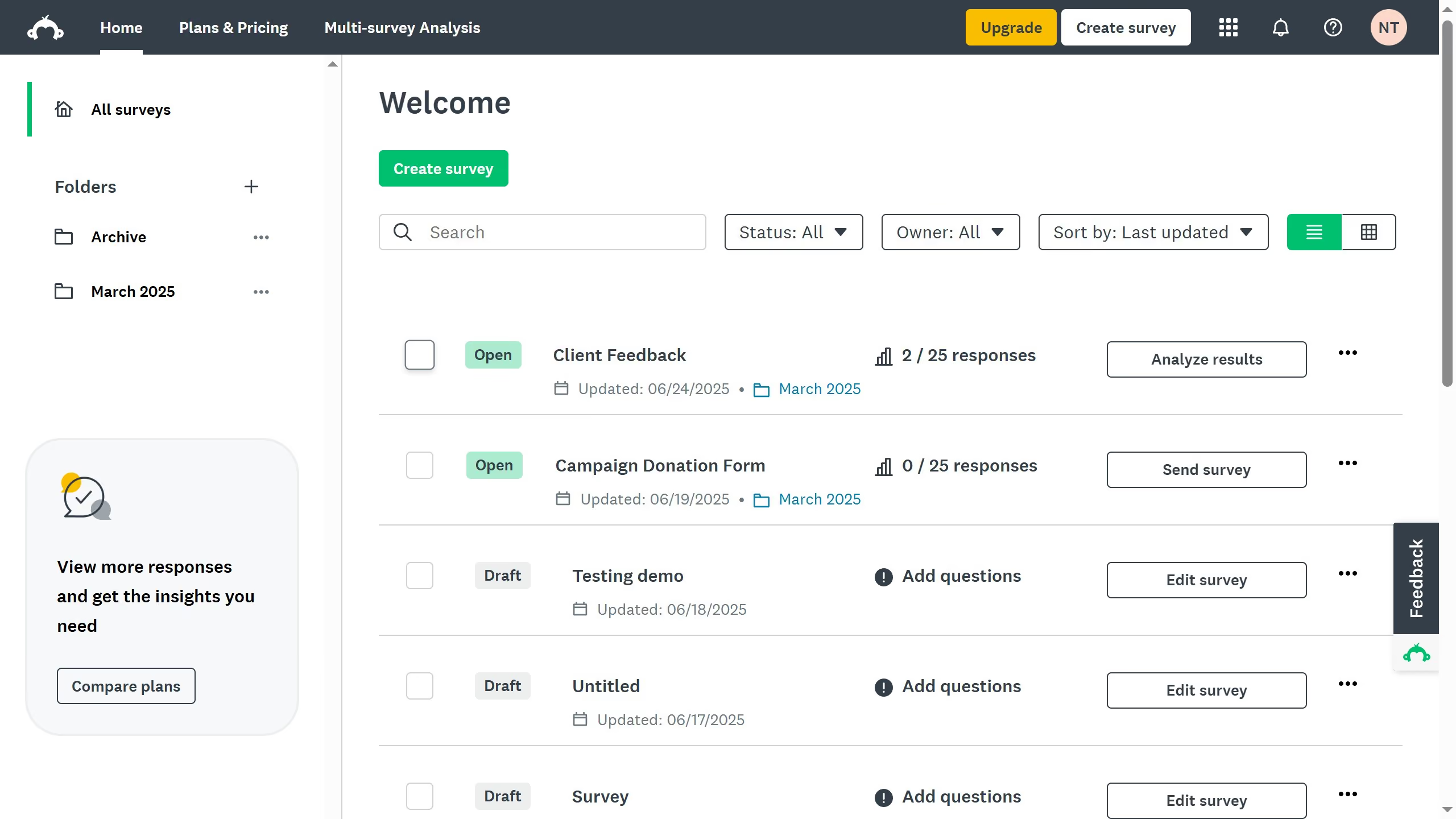
Here is how to delete a surveymonkey survey
- On the dashboard, locate the survey you want to delete and click the three-dot (…)
- From the dropdown, select "Delete"
- A confirmation window will appear, confirm the deletion by clicking "Delete"


Create your own interactive guide with Guideflow
SurveyMonkey is a dynamic platform that enables users to create, distribute, and analyze surveys effortlessly.
One of its valuable features is the ability to delete surveys. This functionality ensures that your dashboard remains organized, simplifying the management of your projects.
Deleting a survey can declutter your workspace, helping you focus on the tasks that matter most.
By removing outdated or unnecessary surveys, you enhance the efficiency and effectiveness of your ongoing data collection efforts.
Why leading companies build with Guideflow