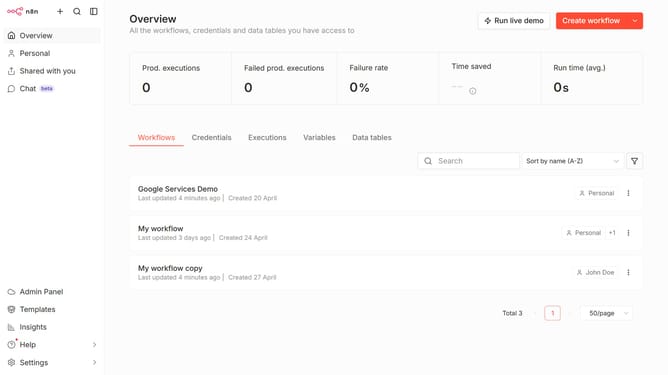
How to create Trello API credential in n8n
Here is how to create trello api credential in n8n
- First click on the dropdown arrow next to "Create workflow" button
- Then click on "Create credential" option
- Then click on the "Search for app..." input field
- Then type "Trello" in the search input field and click on the "Trello API" result
- Then click on the "Continue" button
- Then fill in the required credential details
- Finally click on the "Save" button
Why should you create Trello API credential in n8n
n8n is an innovative workflow automation tool that connects applications, helping streamline processes effortlessly.
Creating Trello API credentials in n8n enhances your ability to effortlessly manage your Trello boards. By integrating Trello with n8n, you automate task management, save time, and increase efficiency.
This seamless connection ensures that your Trello tasks are dynamically updated as part of your overall workflow, allowing you to stay organized with minimal manual intervention.
Embracing this feature simplifies collaboration, ensuring that all team members are aligned without tedious repetition.
Last update