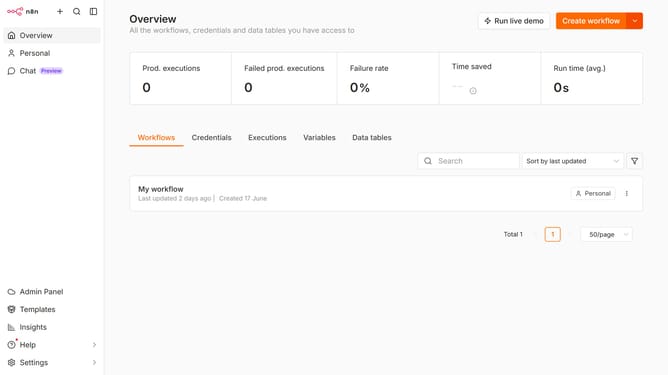
How to create Microsoft To Do OAuth2 API credential in n8n
Here is how to create microsoft to do oauth2 api credential in n8n
- First click on the dropdown arrow next to the "Create workflow" button.
- Then click on the "Create credential" option.
- Then type "Microsoft To Do" into the search bar.
- Then select "Microsoft To Do OAuth2 API" from the list of options.
- Then click on the "Continue" button.
- Finally click on the "Connect to Microsoft To Do" button.
Why should you create Microsoft To Do OAuth2 API credential in n8n
n8n is a powerful, versatile tool designed for automating workflows in a seamless and efficient manner.
Creating Microsoft To Do OAuth2 API credentials in n8n is a feature that significantly enhances integration capabilities. Leveraging this feature allows users to securely connect and interact with Microsoft To Do services.
By setting up these credentials, users benefit from improved data synchronization, ensuring tasks and projects are effortlessly managed and up to date.
Last update