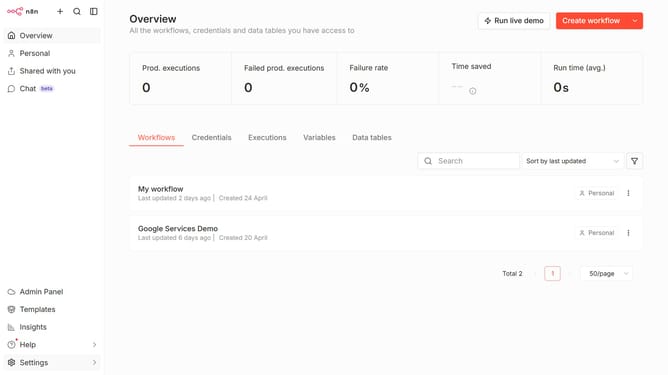
How to create AWS (Assume Role) credential in n8n
Here is how to create aws (assume role) credential in n8n
- First click on the dropdown arrow next to "Create workflow" button
- Then click on "Create credential" button
- Then select "AWS (Assume Role)" from the list
- Then click on "Continue" button
- Now, enter your necessary information in the corresponding field on the form
- Finally click on the "Save" button
Why should you create AWS (Assume Role) credential in n8n
n8n is an open-source workflow automation tool that empowers users to automate tasks seamlessly across multiple platforms.
The ability to create AWS (Assume Role) credentials in n8n significantly enhances your workflow security and resource management.
This feature allows n8n to smoothly connect with AWS services by assuming a temporary security role, ensuring secure interaction without exposing sensitive credentials.
By leveraging AWS roles, users can take advantage of streamlined permissions handling, boosting both flexibility and efficiency in their automated workflows.
Last update