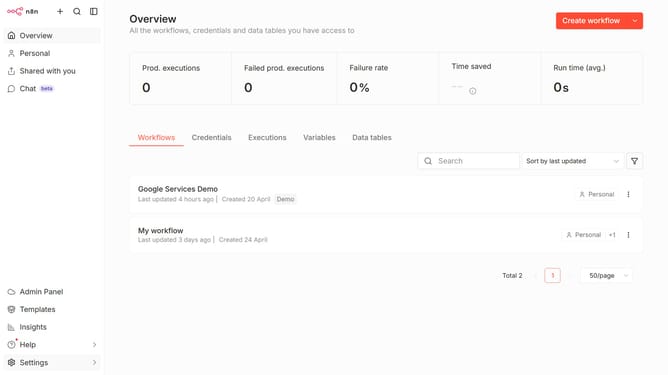
How to create Microsoft Azure Monitor OAuth2 API credential in n8n
Here is how to create microsoft azure monitor oauth2 api credential in n8n
- First click on the dropdown arrow next to "Create workflow"
- Then click on "Create credential" button
- Then click on the "Search for app..." input field
- Then type "microsoft azure" into the search field and click on "Microsoft Azure Monitor OAuth2 API"
- Then click on the "Continue" button
- Then fill in the required credential details
- Finally click on the "Connect to Microsoft Azure" button
Why should you create Microsoft Azure Monitor OAuth2 API credential in n8n
n8n is a powerful automation tool designed to seamlessly integrate various services and systems.
Creating Microsoft Azure Monitor OAuth2 API credentials in n8n allows users to harness the full potential of Azure's comprehensive monitoring solutions.
This feature simplifies data collection and analysis, making it easier to maintain and enhance your applications' performance and reliability.
Leveraging OAuth2 authentication ensures secure and efficient data exchanges, providing enhanced control and improved monitoring capabilities.
Last update