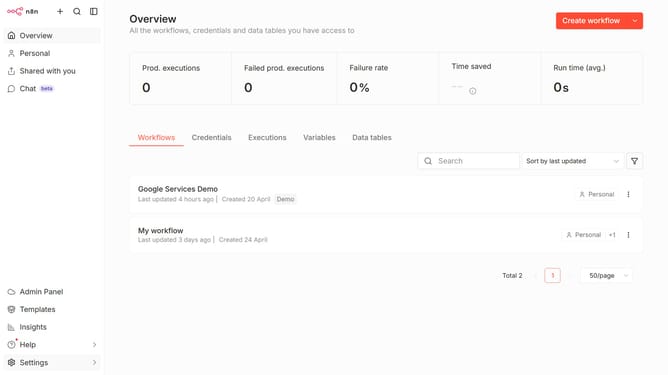
How to reset all data table filters in n8n
Here is how to reset all data table filters in n8n
- First click on "Personal" tab in the left sidebar
- Then click on "Data tables" tab
- Next open the data table you want to filter
- Then click on the filter icon for the column
- Finally click on the "Reset" button
Why should you reset all data table filters in n8n
n8n is a versatile automation platform that seamlessly connects different applications and services for streamlined workflows.
One powerful feature n8n offers is the ability to reset all data table filters effortlessly. This function is particularly beneficial when you need to clear existing criteria and begin with a clean slate, ensuring data visibility in its entirety.
By resetting filters, you maintain workflow efficiency and accuracy, enabling you to focus on the most pertinent data. This streamlined approach saves time and reduces clutter, enhancing your data management experience.
Last update