How to create AcuityScheduling OAuth2 API credential in n8n
Here is how to create acuityscheduling oauth2 api credential in n8n
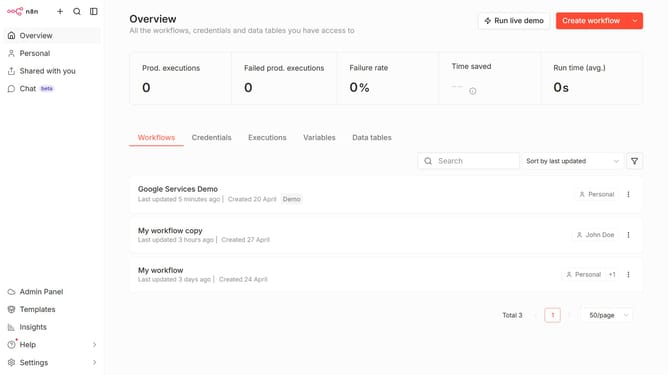
- First click on the dropdown arrow next to "Create workflow" in the header
- Then click on "Create credential" button
- Next, select "AcuityScheduling OAuth2 API" from the list in the modal
- Then click on the "Continue" button
- Finally, click on the "Connect to AcuityScheduling" button
Why should you create AcuityScheduling OAuth2 API credential in n8n
n8n is an intuitive automation tool designed to streamline workflows and enhance connectivity across diverse applications.
Creating AcuityScheduling OAuth2 API credentials in n8n allows users to seamlessly integrate their scheduling data, enhancing operational efficiency. This feature facilitates secure data interchange between n8n and AcuityScheduling, ensuring a smooth flow of information.
Leveraging OAuth2 API credentials not only augments security protocols but also enables n8n to access AcuityScheduling features dynamically, minimizing manual interventions and maximizing productivity.
Last update