How to create Discord OAuth2 API credential in n8n
Here is how to create discord oauth2 api credential in n8n
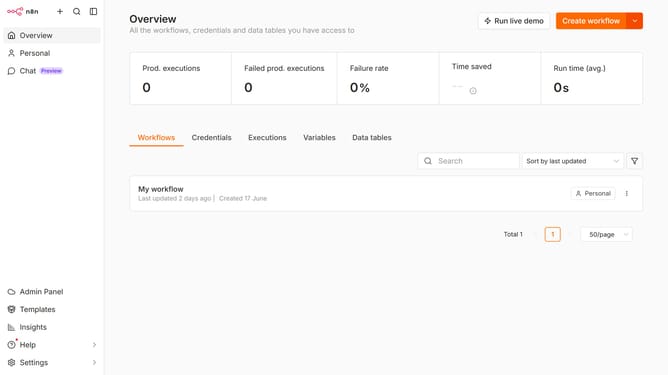
- First click on the dropdown arrow next to "Create workflow" button.
- Then click on "Create credential" button.
- In the Add new credential modal, click on the "Search for app..." input field.
- Then enter "discord" and select "Discord OAuth2 API" option.
- Click on the "Continue" button.
- Then enter the necessary information for your new credential.
- Finally click on the "Connect to Discord" button.
Why should you create Discord OAuth2 API credential in n8n
n8n is a powerful automation tool that lets you simplify complex workflows by connecting various applications seamlessly.
Creating Discord OAuth2 API credentials in n8n is a crucial step that allows for smooth integration between the Discord platform and your automated workflows. This feature opens doors for efficient communication and data exchange.
By simplifying the authorization process, it enables secure interaction with Discord API, ensuring data integrity and enhancing workflow reliability. Enjoy the ease of automating notifications, user engagements, and more in a secure manner.
Last update