How to create a regular email campaign in Mailchimp
Here is how to create a regular email campaign in mailchimp
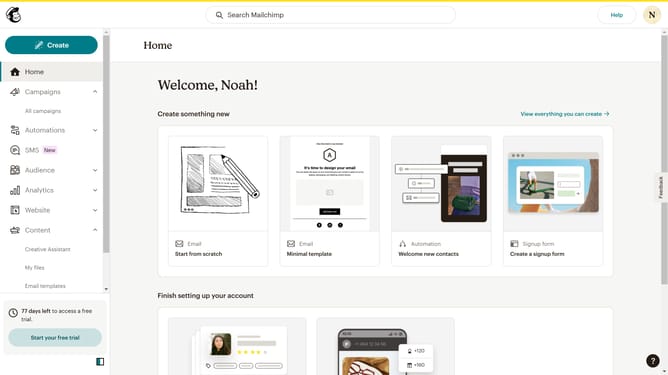
- First, click on the 'Create' button in the left sidebar
- Then, click on the 'Email' item in the left sidebar
- Next, click on the 'Regular' option under the 'Email' menu
- After that, click on the "Internal name" input field to edit the internal name
- Then, click on the 'Begin' butto
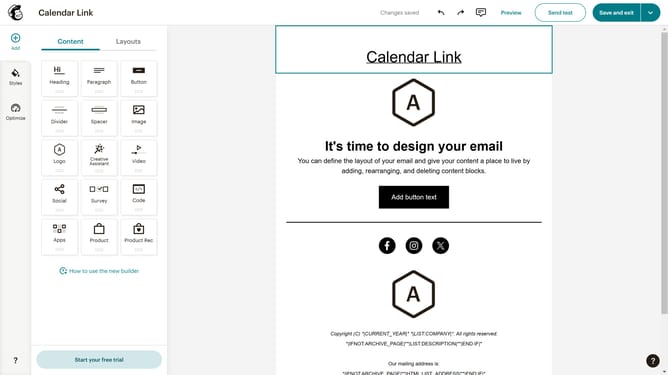
- Next, click on the 'Fully designed' option in the 'Start from a template' section
- Then, click on the 'Apply' button on your selected template
- After that, click on the 'Save and exit' button in the top menu
- Next, click on the 'Subject' dropdown
- Next, click on the 'Subject' input field and enter your subject
- Then, click on the 'Save' button
- After that, click on the 'Send' button in the top right corner
- Then, click on the 'Send now' button
- Finally, click on the 'I'll do it later' button
Why should you create a regular email campaign in Mailchimp
Mailchimp is a powerful email marketing platform designed to help businesses engage with their audiences effectively.
Creating a regular email campaign in Mailchimp allows businesses to consistently reach their subscribers, fostering a strong relationship.
This feature simplifies the process, offering intuitive tools to design, schedule, and assess email campaigns, making it easier to maintain brand presence.
Overall, using Mailchimp for regular email campaigns enriches customer interaction and boosts marketing efforts seamlessly.
Last update