How to create a logo using Canva
Here is how to create a logo using canva
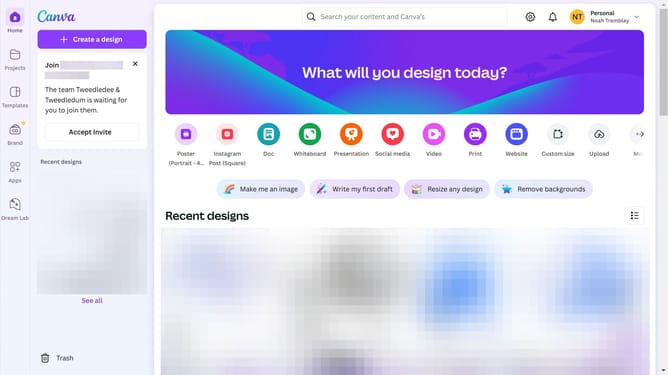
- First click on the "Create a design" button
- Then click in the search field and type "logo"
- Next click on the your desired logo size or type
- Then click on the "Design" icon
- Next click on the "Templates" tab in the left panel
- Finally click on your choice of template to use
Why should you create a logo using Canva
Canva is a versatile design platform that empowers anyone to create stunning visuals with ease.
Creating a logo with Canva's intuitive tools is a breeze. The platform offers a plethora of customizable templates, allowing users to infuse their own personality and brand identity effortlessly.
Its drag-and-drop feature makes it accessible to everyone, whether you're a seasoned designer or just starting out. Utilizing Canva for logo creation not only saves time but also ensures professional-quality results without the need for expensive software.
With Canva, you can quickly bring your brand vision to life, making it an invaluable asset for personal and professional endeavors.
Last update