How to create a follow-up count ratio chart in Folk
Here is how to create a follow-up count ratio chart in folk
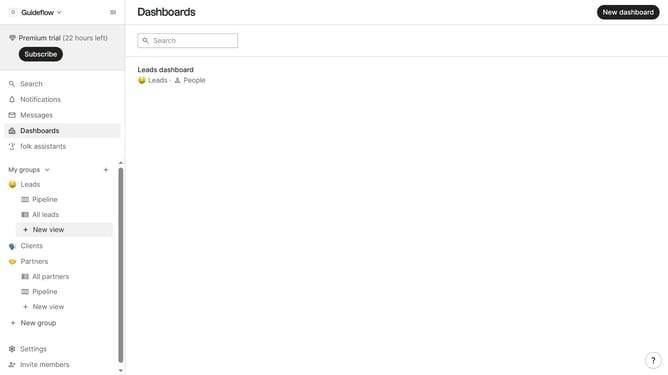
- First click on "Dashboards" in the sidebar menu
- Then click on the dashboard where you want to create a follow-up count ratio chart
- Next click on the "Add chart" button
- Then click on the "Measure" dropdown option
- Next hover your mouse cursor over the "Ratio" option
- After that, hover your mouse cursor over the "Status" option
- Then select "Follow-up" from the list of options
- Finally, click the "Save" button in the chart configuration modal
Why should you create a follow-up count ratio chart in Folk
Folk is an intuitive platform designed to streamline communication and enhance relationship management.
Creating a follow-up count ratio chart in Folk offers a visually engaging way to track your follow-up activities. This feature empowers you to quickly understand your communication patterns, helping you identify areas for improvement or success in your outreach efforts.
Using this chart provides actionable insights, fostering more effective follow-ups and ultimately strengthening connections. It brings clarity and focus, streamlining your relationship management practices for better outcomes.
Last update