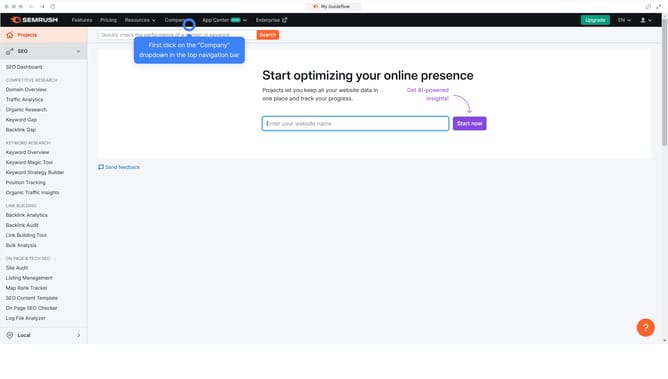
How to check follow backlinks in Semrush
Here is how to check follow backlinks in semrush
- First click on the "SEO" section in the left sidebar menu
- Then click on "Backlink Analytics" option in the left sidebar menu
- Next enter your domain in the domain input field at the top of the page
- Click the "Analyze" button to start the backlink analysis
- Click on the "Backlinks" tab in the main content area
- Click the "Follow" filter to display only follow backlinks
Why should you check follow backlinks in Semrush
Semrush is an all-in-one digital marketing tool designed to enhance your online visibility.
Among its powerful features, checking follow backlinks provides critical insights into your website’s authority and reach. By understanding which links are driving traffic and influence, you can effectively tailor your SEO strategies.
Using Semrush to identify follow backlinks enables you to optimize your link-building efforts, fostering stronger online relationships and boosting your search engine rankings.
Last update