How to change the site title in Confluence
Here is how to change the site title in confluence
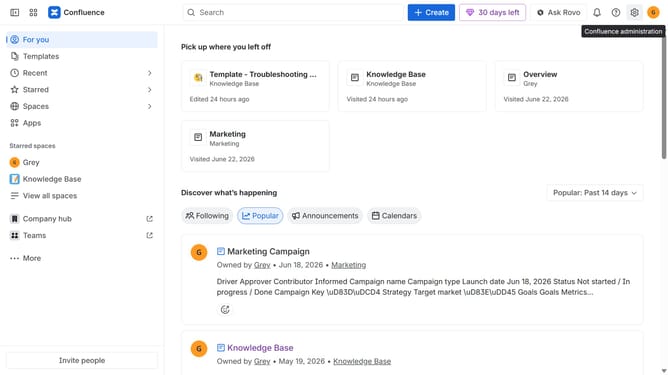
- First click on the gear icon in the top right corner
- Find "Settings" in the Confluence administration menu
- Next, click on the "Configuration" option
- Select "General configuration" from the expanded settings menu
- After that, locate the “Confluence title” field in the Confluence setup section
- Then, enter your new site title
- Finally, scroll down and click on the "Save configuration changes" button
Why should you change the site title in Confluence
Confluence is a powerful collaboration tool designed to help teams work together and share knowledge effectively.
One of the beneficial features of Confluence is the ability to change the site title easily. This feature allows users to personalize their workspace, making it unique and easily recognizable among team members.
Updating the site title not only reflects your brand's identity but also enhances navigation and organization within the platform. It ensures that your workspace aligns perfectly with your team's goals and objectives, fostering a sense of ownership and professionalism.
Last update