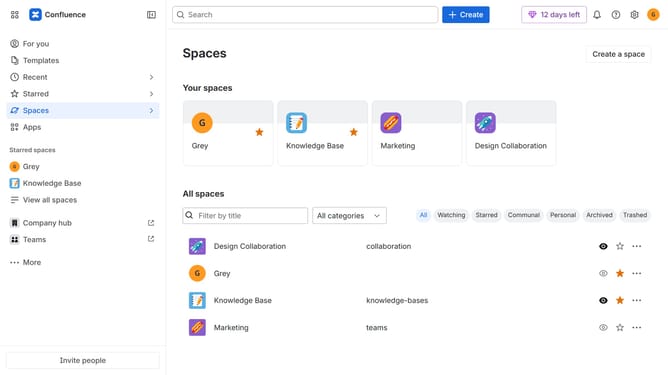
How to customize the sidebar in Confluence
Here is how to customize the sidebar in confluence
- First click on "Customize sidebar" in the sidebar
- In the customize sidebar menu, show, hide, or reorder the sidebar items as needed
- Finally, once done, click on the "Save changes" button
Why should you customize the sidebar in Confluence
Confluence is a collaborative workspace designed to help teams accomplish their goals effortlessly.
Customizing the sidebar in Confluence allows users to tailor the workspace to fit their specific needs, enhancing productivity and organization.
By personalizing the sidebar, users can quickly access frequently used pages, streamline navigation, and minimize time spent searching for information.
Ultimately, this feature supports a more efficient workflow, fostering a productive and cohesive team environment.
Last update