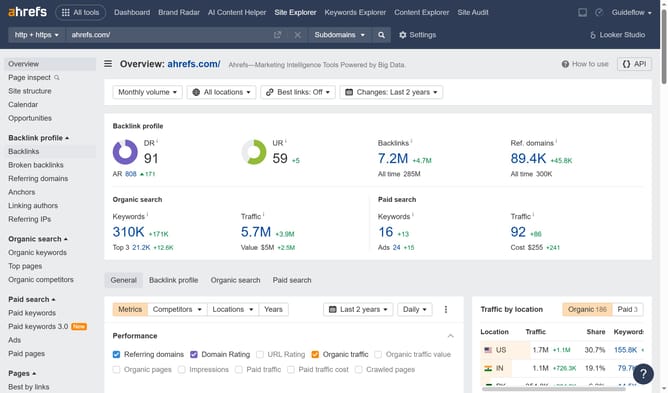
How to analyze dofollow backlinks in Ahrefs
Here is how to analyze dofollow backlinks in ahrefs
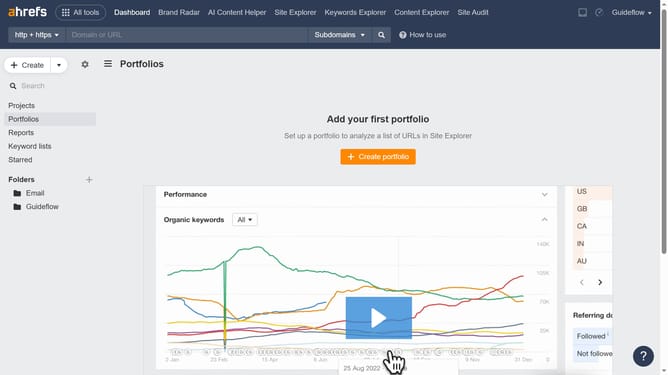
- First click on "Site Explorer" in the top navigation menu
- In the search field, enter the domain name
- Click the orange search button to analyze the domain
- In the left sidebar, click on "Backlinks" under the Backlink profile section
- In the left sidebar, click on "Backlinks" under the Backlink profile section
- Finally click the "Show results" button to apply the filter
Why should you analyze dofollow backlinks in Ahrefs
Ahrefs is a powerful tool designed for optimizing online visibility by providing comprehensive SEO insights.
Analyzing dofollow backlinks in Ahrefs allows you to understand and leverage authoritative links pointing to your site. This feature helps you identify high-quality backlinks contributing to your site’s strength and search engine ranking.
Utilizing this analysis can enhance your SEO strategy, as it reveals which backlinks can boost your site’s credibility, ultimately driving more organic traffic and improving your digital presence.
Last update