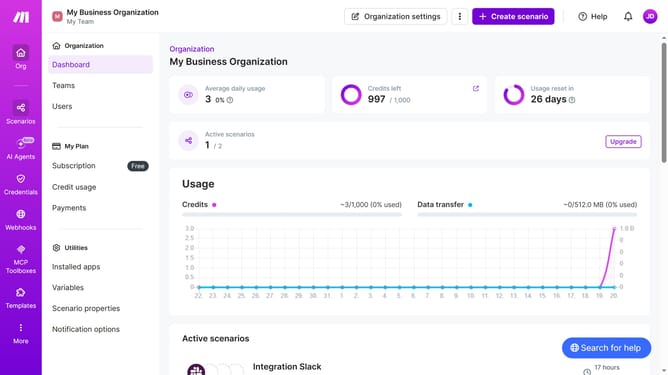
How to add Trello in Make
Here is how to add trello in make
- First click on "Create scenario" button in the header
- Then click on the "Search apps or modules" input field and enter Trello
- Then click on the "Trello" app from the search results
- Then click on the "Watch Activities" module in the Trello app dialog
- Then click on the "Create a webhook" button
- Then click on the "Create a connection" button
- Then click on the "Save" button in the "Create a webhook" dialog
- Then click on the "Watched object" dropdown menu
- Then select "Board" from the "Watched object" dropdown
- Then click on the input field under "Board"
- Then select "My Trello board (Trello Workspace)" from the "Board" dropdown
- Then click on the "Description" input field
- Then click on the "Save" button to save the webhook
- Then click on the "Save" button to confirm the webhook creation
- Finally, click on "Save" button in the main scenario editor
Why should you add Trello in Make
Make is a dynamic integration platform that streamlines your workflow by connecting various apps and services.
Adding Trello in Make enhances collaboration and productivity by automating tasks and bridging your project management tools seamlessly.
By integrating Trello into Make, teams can streamline their operations, allowing for a more efficient, automated, and synchronized workflow, ensuring nothing falls through the cracks.
This feature maximizes efficiency, freeing teams to focus on what truly matters: delivering exceptional results.
Last update