Mural
Mural is a visual collaboration platform for brainstorming, planning, and running remote workshops on a shared canvas.
Website
Industry
Design
Share this article:

How to add to starred your own template with an infinite canvas in Mural

Here is how to add to starred your own template with an infinite canvas in mural

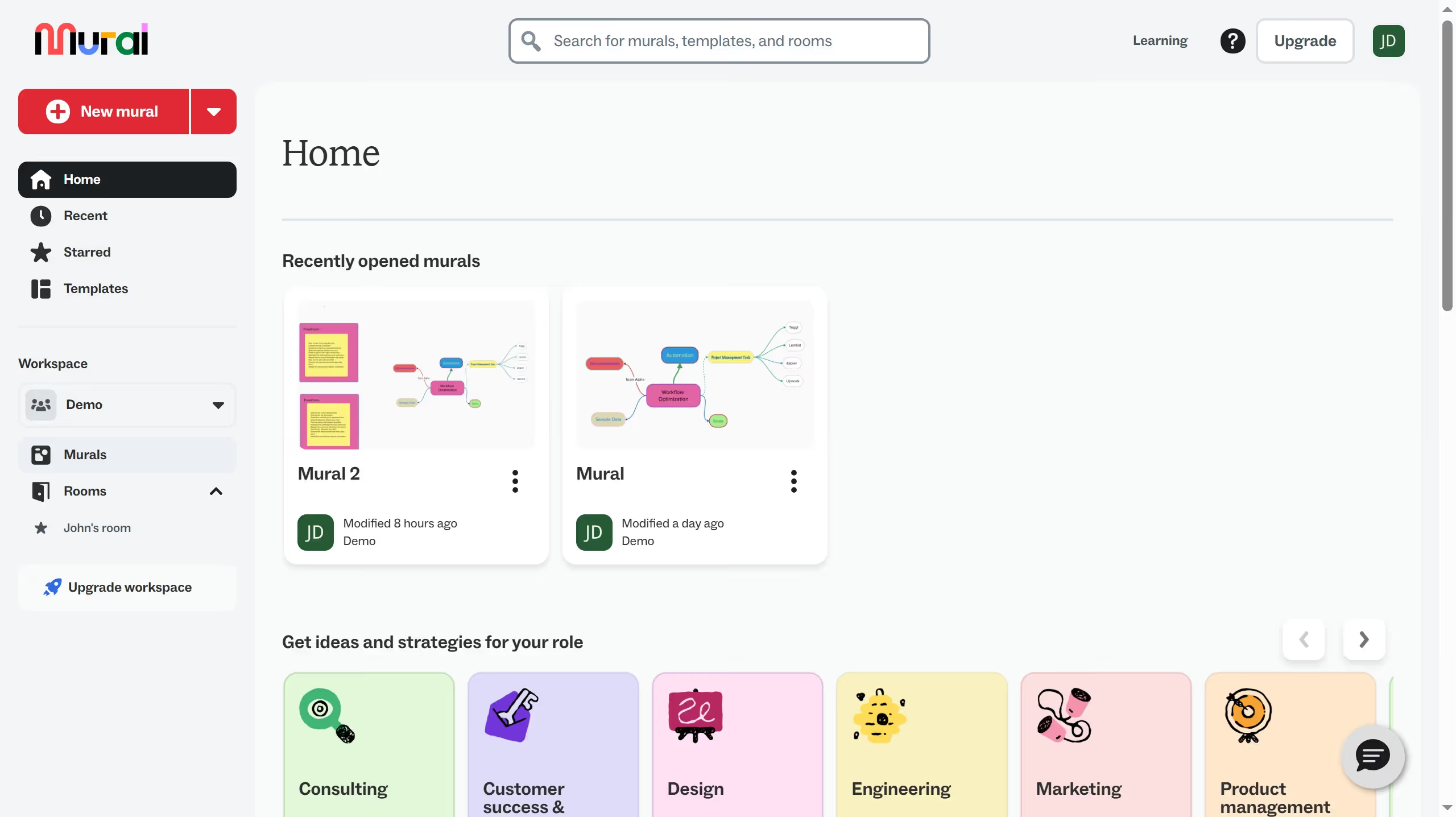
  1. First click on "Templates" in the sidebar navigation menu
  2. Then click on the more options button (three dots icon) on the template card
  3. Finally click on "Add to Starred" option from the dropdown menu

Create your own interactive guide with Guideflow

Why should you add to starred your own template with an infinite canvas in Mural

Mural is a dynamic digital workspace designed to foster innovative collaboration through an infinite canvas.

Adding your template to your starred items in Mural allows you to quickly access and organize your personalized brainstorming tools right at your fingertips. This feature enhances your workflow efficiency by reducing time spent searching for frequently used templates.

Utilizing this capability empowers teams to seamlessly integrate their unique methods into collaborative processes, ensuring consistently productive and creative sessions.

Last update
March 13, 2026
Cursor MariaA cursor points to a button labeled "James."

Create your first demo in less than 30 seconds.