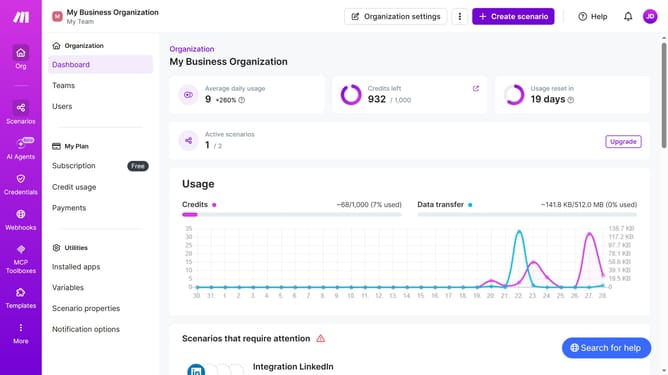
How to add LinkedIn in Make
Here is how to add linkedin in make
- First click on "Create scenario" button
- Then click on "Search apps or modules" input field and type LinkedIn
- Then click on "LinkedIn" option
- Then click on "Create a User Text Post" option
- Then click on "Create a connection" button
- Then click on the "Connection type" dropdown
- Then select "LinkedIn" from the dropdown
- Then click on the "Save" button
- Then click on the "Save" button on the right side of the screen
- Then click on the "Save" button with Ctrl+S text
- Finally click on "Save anyway" button
Why should you add LinkedIn in Make
Make is a dynamic automation platform designed to streamline and simplify workflows by connecting your favorite apps.
Integrating LinkedIn with Make enables users to harness the power of professional networking alongside other business tools seamlessly.
Adding LinkedIn to Make allows for automatic updates and actions based on your LinkedIn activity, improving efficiency and connectivity.
This integration can lead to more consistent engagement and more effective use of LinkedIn's networking potential, enhancing your professional growth.
Last update