How to view your current shortcut links in Confluence
Here is how to view your current shortcut links in confluence
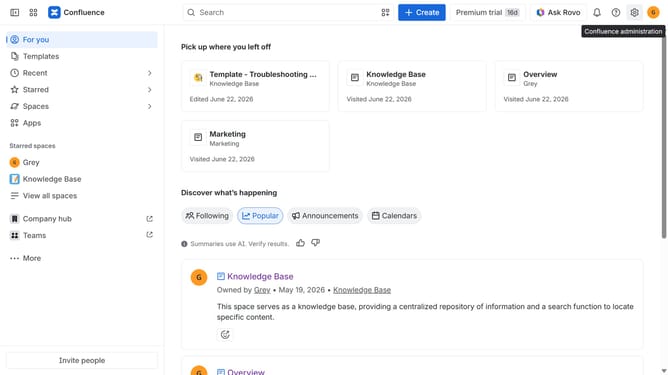
- First, click on the gear icon in the header to open Confluence administration
- Click on "Configuration" in the left sidebar
- Next click on "Shortcut links" in the submenu
- The current shortcut links will now be displayed
Why should you view your current shortcut links in Confluence
Confluence is a powerful collaboration tool designed to unify team efforts and streamline project management.
One of its efficient features allows users to easily view all their current shortcut links, enhancing accessibility and streamlining navigation within the platform.
By managing your shortcut links, you can swiftly access frequently used pages, significantly reducing time spent searching and increasing productivity.
This seamless access to necessary information fosters a more organized and efficient work environment, empowering team members to focus on their tasks without unnecessary delays.
Last update