Slack
Slack is a business communication platform that organizes team conversations into channels and direct messages.
Website
Industry
Collaboration
Share this article:

How to view channel details in Slack

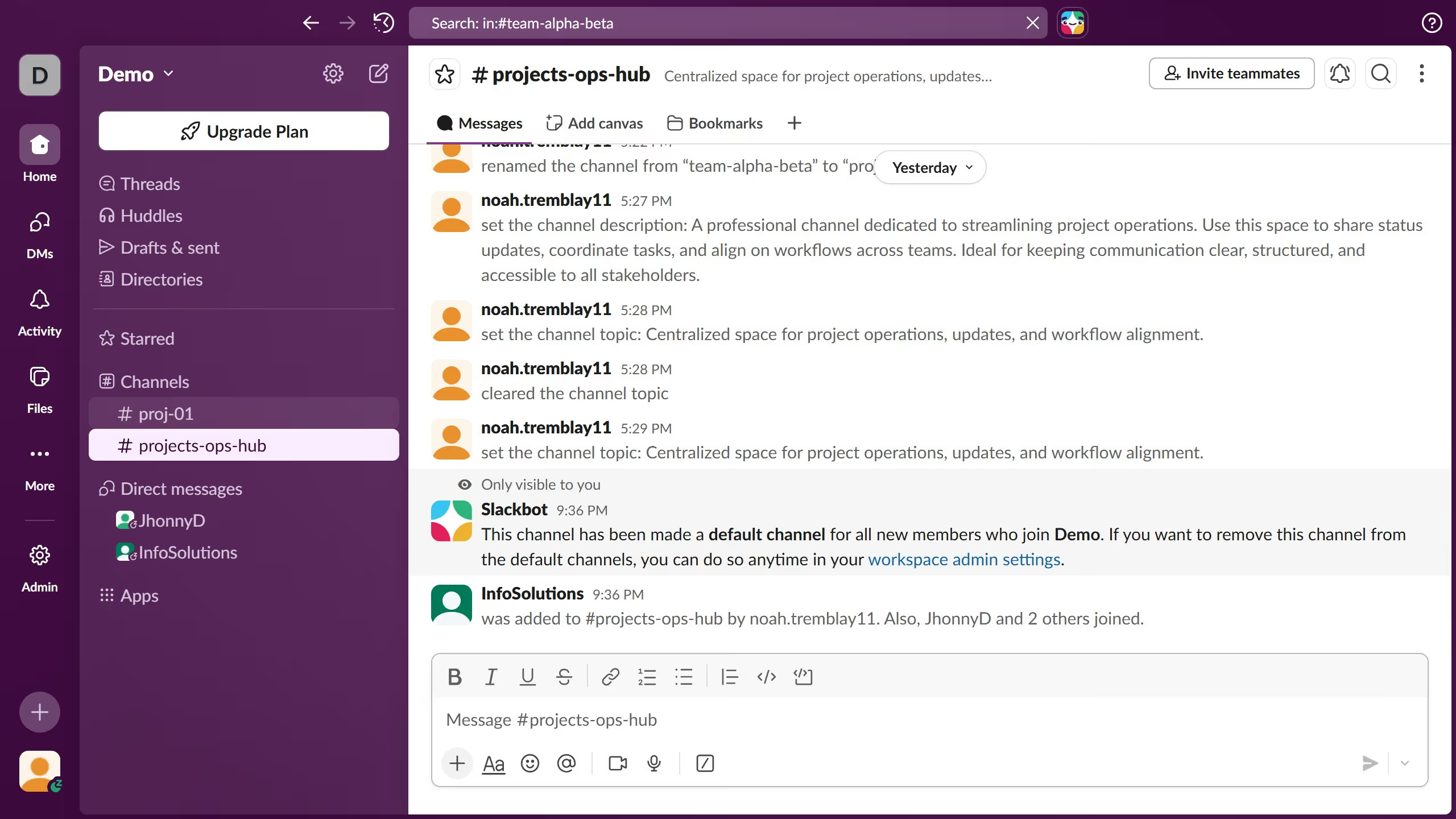
Here is how to view channel details in slack

  1. First click on your preferred channel in the sidebar
  2. Then click on the more options button in the top-right header
  3. Next click on "Open channel details" option from the dropdown menu
  4. Finally scroll down in the channel details panel to see more information

Create your own interactive guide with Guideflow

Why should you view channel details in Slack

Slack is a powerful collaboration hub designed to streamline team communication and workflow.

Understanding how to view channel details in Slack can greatly enhance your team’s efficiency. By accessing channel specifics, you can quickly see the purpose, members, and any relevant information that keeps everyone aligned.

This feature ensures transparency, allowing you to easily identify who's involved and what the current focus is, which promotes a more cohesive and well-coordinated working environment.

Embracing this aspect of Slack contributes to smoother collaboration and informed team decisions.

Last update
March 16, 2026
Cursor MariaA cursor points to a button labeled "James."

Create your first demo in less than 30 seconds.