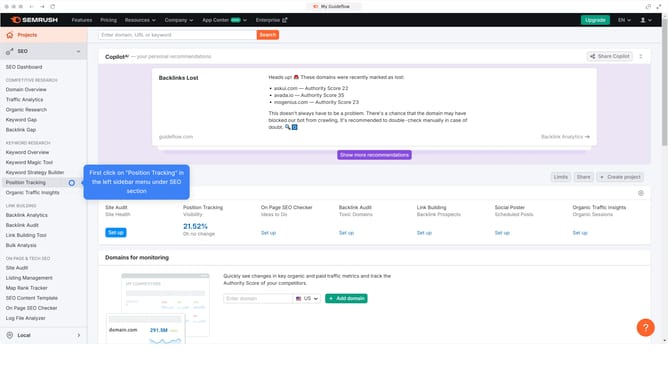
How to view average visit duration in Semrush
Here is how to view average visit duration in semrush
- First click on the "SEO" section in the main navigation menu
- Then click on "Domain Overview" option in the left sidebar menu
- Enter the domain you want to analyze in the search bar at the top.
- Click the "Search" button to generate results
- Here you'll view the average visit duration
Why should you view average visit duration in Semrush
Semrush is a powerful digital marketing toolkit designed to help you grow online visibility and uncover marketing insights.
Understanding how to view average visit duration in Semrush offers a window into user engagement on your website. This insightful metric indicates the average time visitors spend on your pages, providing clues to content effectiveness and user interaction.
By leveraging this feature, you can identify which areas capture attention or may need refinement, ultimately guiding strategies to improve visitor retention and enhance user experience.
Last update