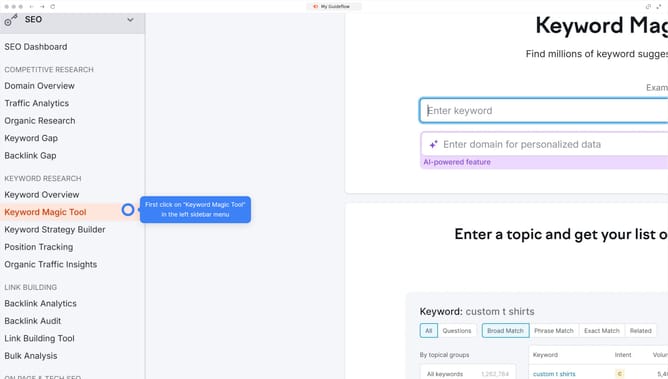
How to sort by page authority in Semrush
Here is how to sort by page authority in semrush
- First click on the "SEO" tile in the main dashboard section to access SEO tools and features
- Then select "Backlink Analytics" option from the left sidebar menu under the Link Building section
- In the Backlink Analytics tool, click on the URL input field to enter a domain for analysis
- Click the "Analyze" button to start the backlink analysis
- Click on "Backlinks" tab in the results page navigation
- Click the "Page AS" column header to sort backlinks by page authority
Why should you sort by page authority in Semrush
Semrush is a powerhouse of digital marketing tools designed to bolster online visibility and uncover insightful analytics.
Sorting by page authority in Semrush is a swift way to prioritize web pages based on their online influence, which is derived from a range of metrics, including backlinks and content strength.
Utilizing this feature allows you to strategically direct your SEO efforts toward pages with the highest potential, maximizing impact and efficiency.
This insight-driven approach empowers businesses to enhance their digital strategy, optimize link-building, and boost search engine rankings, enriching SEO campaigns substantially.
Last update