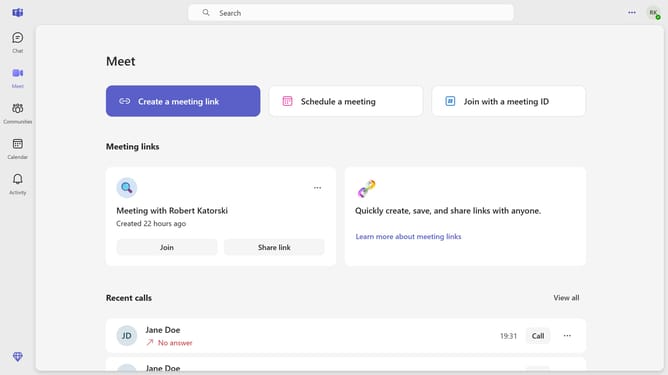
How to set yourself as a sign language interpreter in Microsoft Teams
Here is how to set yourself as a sign language interpreter in microsoft teams
- First click on the "More options" button in the top-right corner of the header
- Then click on "Settings" option in the dropdown menu
- Next click on "Accessibility" option in the left sidebar menu
- Then click on the "Sign language mode" toggle switch to turn it on
- Finally select the "I am a Sign Language Interpreter" radio button option
Why should you set yourself as a sign language interpreter in Microsoft Teams
Microsoft Teams is a dynamic collaboration platform designed to enhance communication and productivity within organizations.
Setting yourself as a sign language interpreter in Microsoft Teams is an excellent way to ensure accessible and inclusive communication during meetings. This feature empowers interpreters to facilitate seamless language support, catering to diverse needs and ensuring everyone is engaged.
By using this feature, interpreters help create a more inclusive environment, promoting equal participation for deaf or hard-of-hearing members, thus enriching team interactions.
Last update