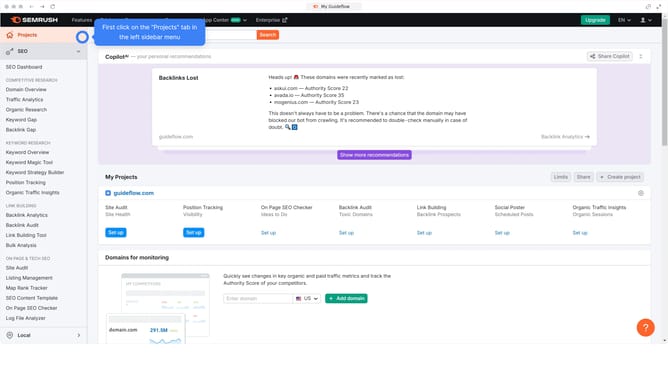
How to see new backlinks in Semrush
Here is how to see new backlinks in semrush
- First click on the "SEO" tile in the main dashboard section to access SEO tools and features
- Then select "Backlink Analytics" option from the left sidebar menu under the Link Building section
- In the Backlink Analytics tool, click on the URL input field to enter a domain for analysis
- Click the "Analyze" button to start the backlink analysis
- Go to the "Backlinks" tab to view the latest incoming links
- Finally click on the "New" filter tab in the backlinks results section to view new backlinks
Why should you see new backlinks in Semrush
Semrush is a comprehensive online visibility management platform designed to enhance and optimize your digital presence.
The ability to see new backlinks in Semrush provides users with the insight needed to strengthen their SEO strategies. This feature shows which sites are linking to your content, allowing you to assess link quality and relevance.
Understanding new backlinks is crucial because they can enhance your site's authority and drive organic traffic. Monitoring these links helps you identify successful content and discover untapped opportunities.
By leveraging this feature, you ensure your link-building efforts result in a more robust and credible online presence.
Last update