How to rename a widget in Monday.com
Here is how to rename a widget in monday.com
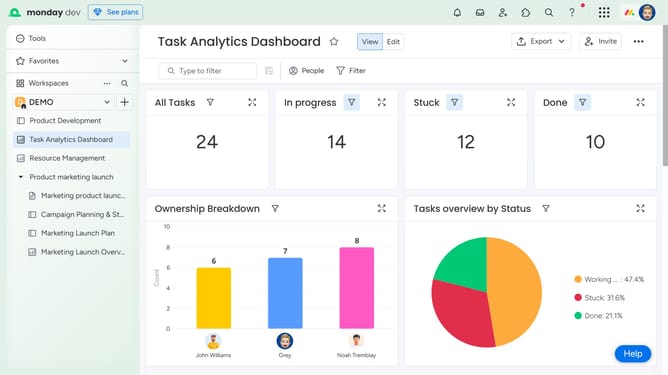
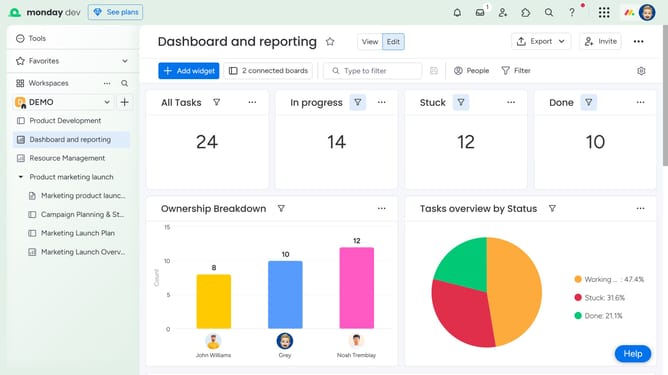
- First open the dashboard that contains the widget you want to rename
- Next locate the widget on the dashboard
- To rename it, click directly on the current widget name
- Alternatively, click the more options menu (three dots) in the top-right corner of the widget
- Then click on "Rename" option in the dropdown menu
- Finally type the new name you want to give the widget and press "Enter" to save the new name
Why should you rename a widget in Monday.com
Monday.com is a versatile work operating system designed to streamline workflow management.
Renaming a widget in Monday.com is a straightforward feature that allows for quick customization of your workspace, enhancing both clarity and organization.
This function helps teams maintain consistency and personalization in their dashboards, ensuring that all team members immediately understand widget purposes. By renaming widgets effectively, project alignment and communication are improved.
Such flexibility boosts productivity, tailoring each board to fit the unique needs of your team or project.
Last update