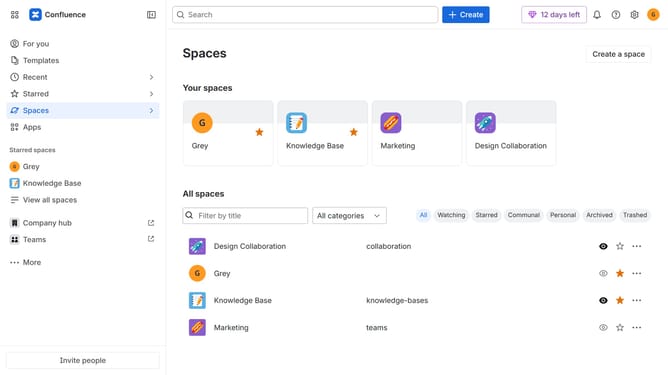
How to rename a space in Confluence
Here is how to rename a space in confluence
- First click on "Spaces" in the left sidebar
- Next click on the "View all spaces" option from the pop-up menu
- Find the space you want to rename from the list
- Click on the three dots menu in the right corner of the space name
- Then click on "Space settings" from the menu
- In the left sidebar menu, click on "Space details"
- After that, locate the "Name" input field
- Then enter a new name for the space
- Finally, click on the "Save" button to apply the changes
Why should you rename a space in Confluence
Confluence is an intuitive collaboration tool designed to empower teams and streamline project management.
The ability to rename a space in Confluence allows users to maintain clarity and organization within their workspace.
This feature ensures that team members can easily identify specific projects or departments, thus enhancing communication and collaboration.
Moreover, renaming spaces aids in aligning workspace titles with evolving project names or company rebranding, maintaining relevance and coherence across all team activities.
Last update