Mural
Mural is a visual collaboration platform for brainstorming, planning, and running remote workshops on a shared canvas.
Website
Industry
Design
Share this article:

How to remove items from a template in Mural

Here is how to remove items from a template in mural

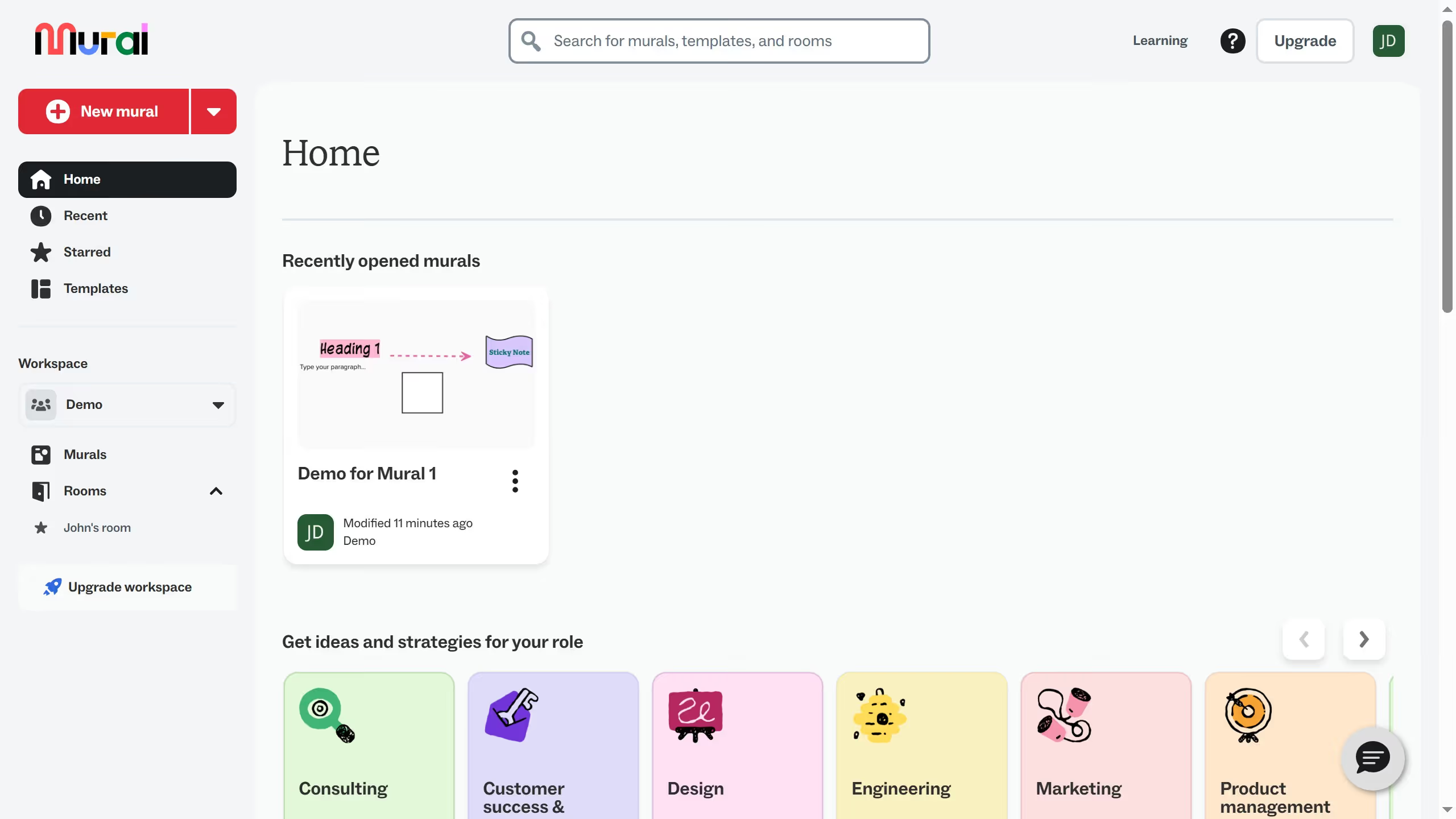
  1. First click on "Murals" in the left sidebar under the Workspace section
  2. Then click on the mural that you want to manage to open it
  3. Next click on the item from the template that you want to delete
  4. Then right-click on the selected item to open the context menu
  5. Finally click on "Delete" option in the context menu

Create your own interactive guide with Guideflow

Why should you remove items from a template in Mural

Mural is an intuitive digital workspace designed to foster innovative ideas and enhance collaboration among teams.

The ability to remove items from a template in Mural empowers users to customize their workspace efficiently. This feature ensures that only relevant content remains, streamlining brainstorming sessions.

By decluttering templates, users can maintain focus on critical elements, enhancing productivity and creativity. This tailored approach helps teams stay aligned and agile, adapting swiftly to evolving project needs.

Last update
March 13, 2026
Cursor MariaA cursor points to a button labeled "James."

Create your first demo in less than 30 seconds.