How to mention teammates in Chat view in ClickUp
Here is how to mention teammates in chat view in clickup
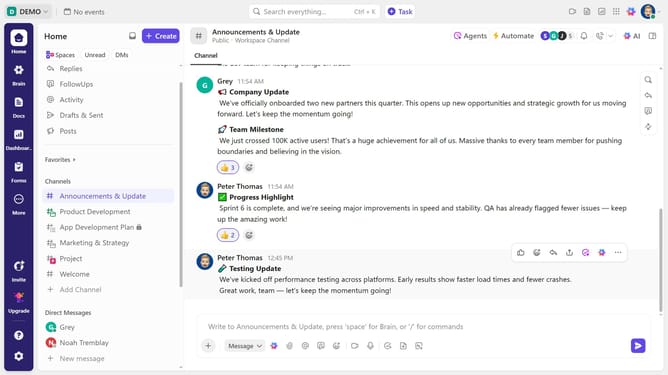
- First navigate to the Chat view where you want to mention someone
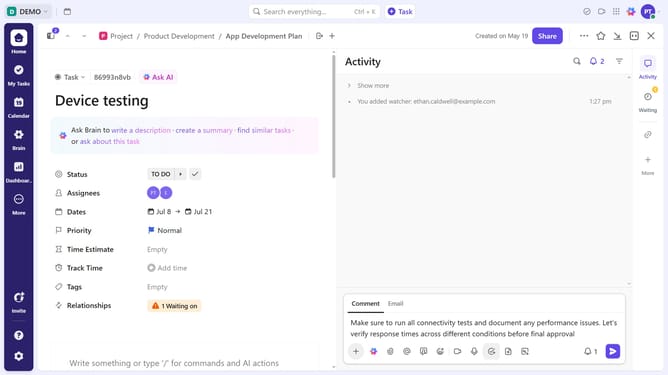
- Next, click on the comment field at the bottom to begin typing your message
- Then type "@" or click on the "@" mention button in the message input toolbar
- Click on the "People" tab in the mention dialog
- Then, select the teammate you want to mention from the people list
- Next start writing your message
- Finally, press "Enter" or click the "Send" button to send your message and notify your teammates
Why should you mention teammates in Chat view in ClickUp
ClickUp is an all-in-one productivity powerhouse designed to enhance team collaboration and streamline workflows.
The Chat view in ClickUp allows you to dynamically engage with your team by mentioning teammates directly in conversations. This feature helps ensure that no important detail slips through the cracks and accelerates team communication.
Utilizing mentions keeps everyone in the loop, fosters accountability, and allows for quick resolution of tasks and discussions. It's a seamless way to ensure that team efforts are perfectly aligned and efficient.
Last update