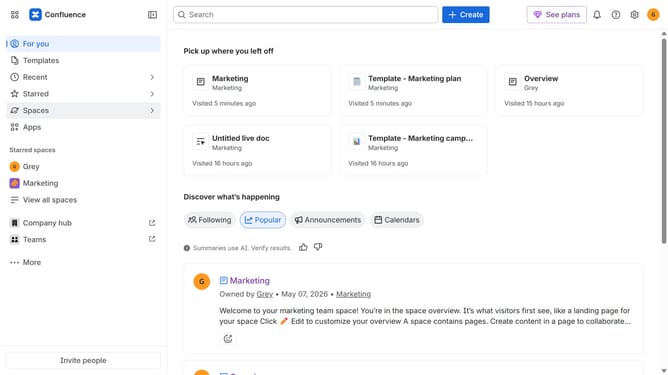
How to install SharePoint Connector in Confluence
Here is how to install sharepoint connector in confluence
- First click on "Apps" in the navigation
- Next, select the "Explore more apps" option
- From the list, locate "SharePoint Connector for Confluence" and click on it to open the app details page
- After that, click on the "Try it free" button
- Select the app edition and confirm the Confluence site where it will be installed
- Then click on the "Review" button to proceed
- Review the app details, permissions, and other information
- Finally, click on the "Start free trial" button
Why should you install SharePoint Connector in Confluence
Confluence is a powerful tool designed to foster collaboration and streamline project management in teams.
When it comes to integrating SharePoint and Confluence, the SharePoint Connector steps in as a seamless bridge between the two platforms.
Installing this connector enables teams to easily share and synchronize content across both systems, enhancing productivity and ensuring that essential information is readily available at the right time.
By bridging the gap between SharePoint and Confluence, users can enjoy a more cohesive and efficient workflow across their preferred platforms.
Last update