How to hide archived workflows in n8n
Here is how to hide archived workflows in n8n
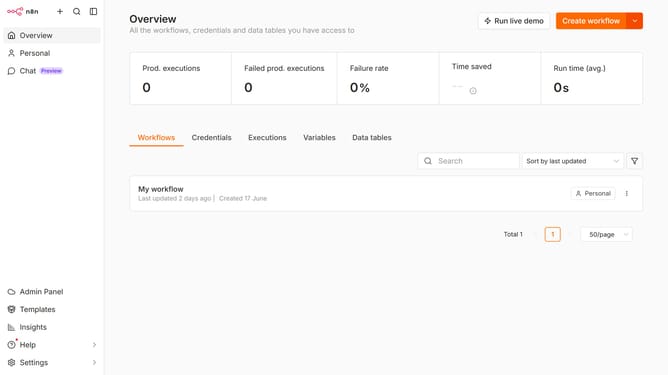
- First click on "Workflows" tab
- Then click on the "Filters" button
- Finally click on the checkbox next to "Show archived workflows" to disable it
Why should you hide archived workflows in n8n
n8n is a versatile automation tool designed to connect and automate various business workflows seamlessly.
The ability to hide archived workflows in n8n enhances your workspace by providing a clutter-free environment, allowing you to focus on active tasks.
This feature ensures that unnecessary distractions are minimized, promoting efficiency and clarity in your daily operations.
By streamlining your view with hidden archived workflows, n8n makes managing and accessing important workflows more intuitive and time-saving.
Last update