SurveyMonkey
SurveyMonkey is an online survey and feedback collection platform for customer insights.
Website
Industry
Marketing
Share this article:

How to export data from Insights and data trends in SurveyMonkey

Here is how to export data from insights and data trends in surveymonkey

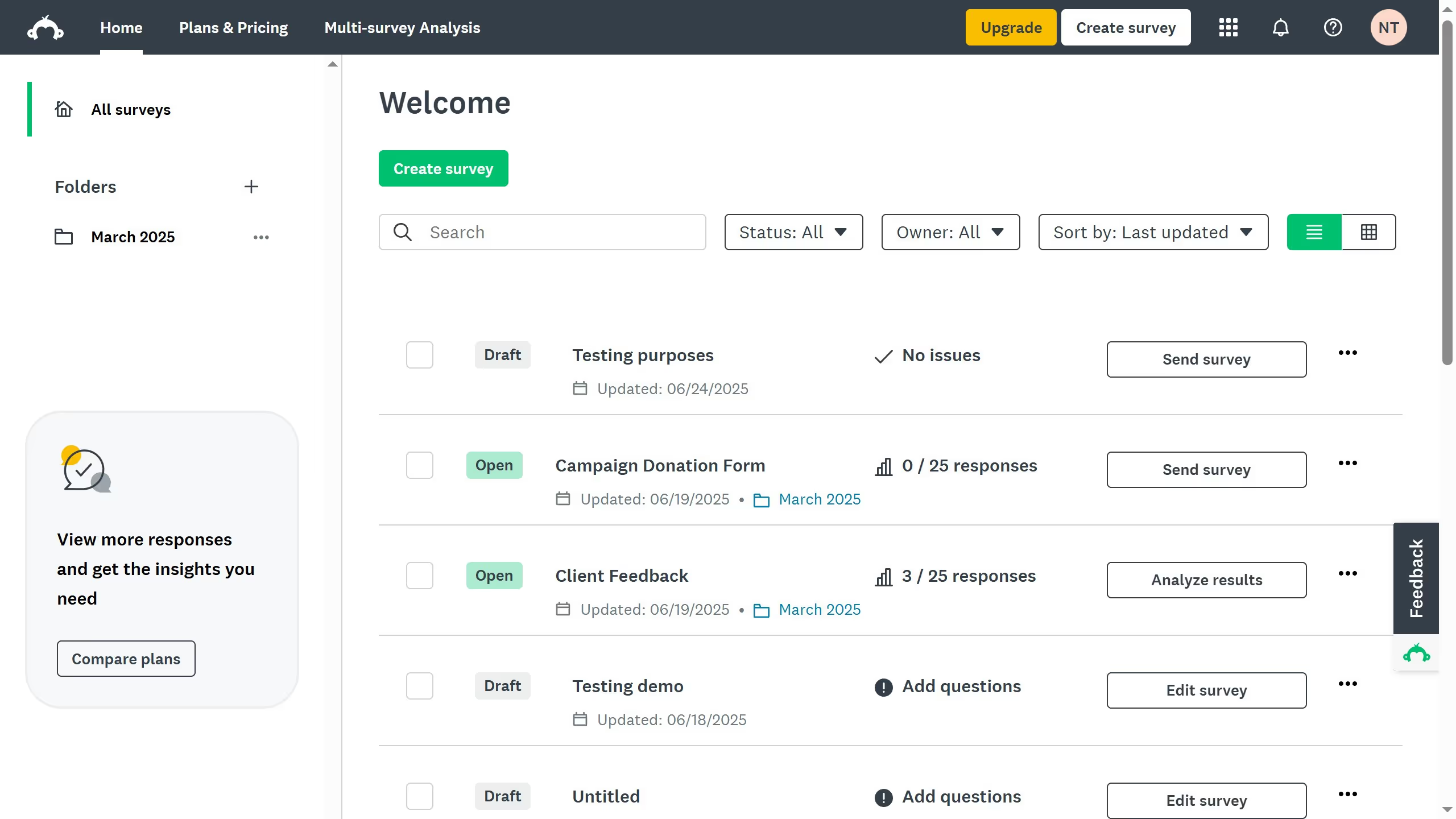
  1. On your SurveyMonkey dashboard, choose the survey you want to edit from your list
  2. Then click on the "ANALYZE RESULTS" tab in the top navigation menu
  3. Click on the "Insights" or "Data Trends" section
  4. Review the charts and trends displayed for your survey responses
  5. Click the "Save as" button near the top-right of the page
  6. Click the "Export files" button
  7. Finally select "All Summary Data" as your export option

Create your own interactive guide with Guideflow

Why should you export data from Insights and data trends in SurveyMonkey

SurveyMonkey is a versatile tool designed to help you gather and analyze insights effortlessly.

Exporting data from Insights and data trends in SurveyMonkey is a powerful feature that simplifies data handling. It allows you to extract valuable information for further analysis.

This feature is beneficial as it streamlines data integration into external systems, offering flexibility and enabling deeper insights. Consequently, it enhances decision-making processes, fostering data-driven strategies for your projects.


Last update
June 23, 2026
Cursor MariaA cursor points to a button labeled "James."

Create your first demo in less than 30 seconds.