SurveyMonkey
SurveyMonkey is an online survey and feedback collection platform for customer insights.
Website
Industry
Marketing
Share this article:

How to duplicate a draft survey in SurveyMonkey

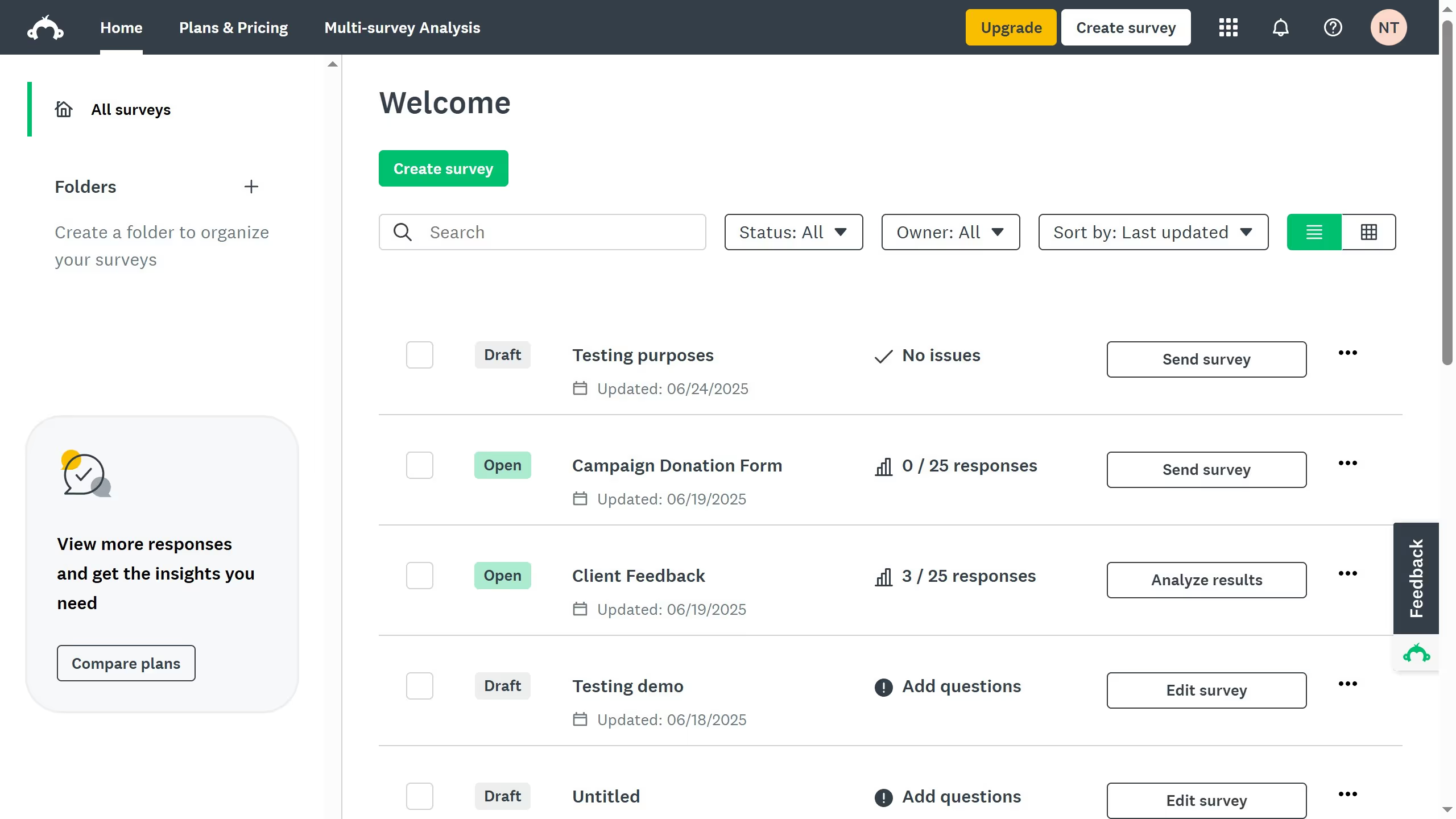
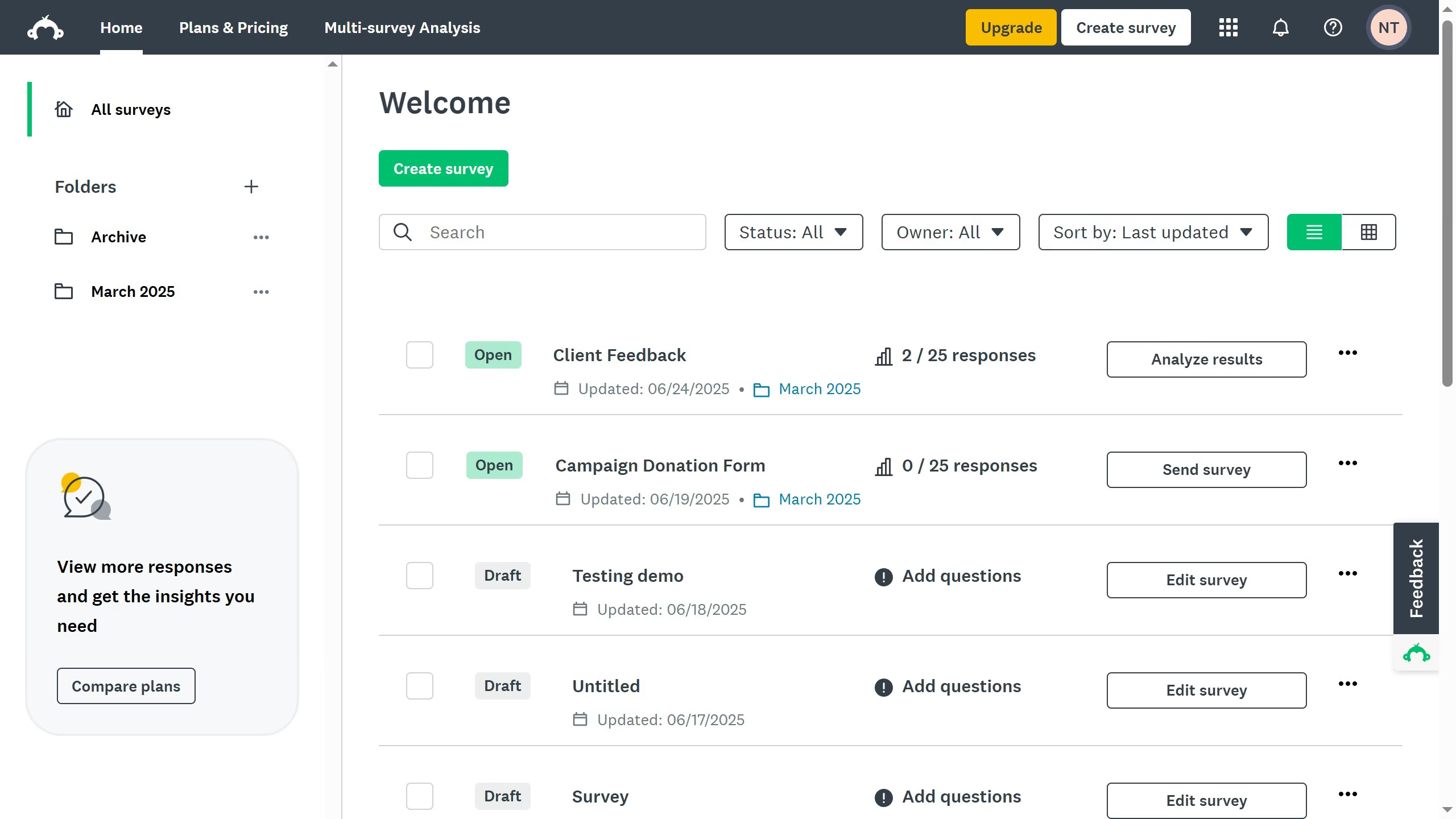
Here is how to duplicate a draft survey in surveymonkey

  1. First click on the options menu (three dots) next to the survey you want to duplicate
  2. Then select "Make a Copy" option from the dropdown menu
  3. Now you have a duplicated survey which will have “Copy” added to the original title

Create your own interactive guide with Guideflow

Why should you duplicate a draft survey in SurveyMonkey

SurveyMonkey is a versatile tool designed to make creating and analyzing surveys effortless.

Duplicating a draft survey in SurveyMonkey is a seamless feature that significantly enhances productivity.

By allowing users to duplicate surveys, it saves time and maintains consistency across different projects or departments.

This feature is especially helpful for those needing to run similar types of surveys regularly, ensuring uniformity and precision without starting from scratch each time.

Last update
June 23, 2026
Cursor MariaA cursor points to a button labeled "James."

Create your first demo in less than 30 seconds.