How to duplicate a dashboard in ClickUp
Here is how to duplicate a dashboard in clickup
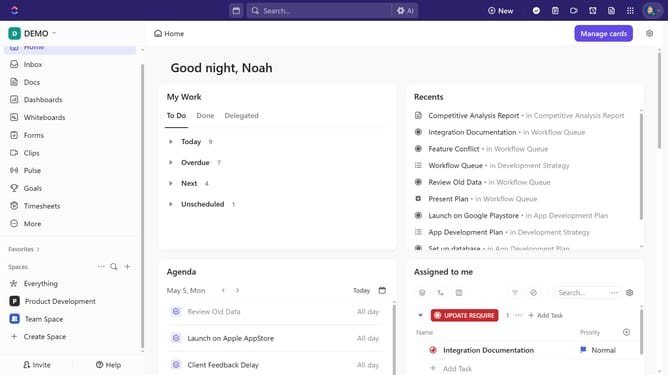
- First navigate to the Dashboards Hub from the left Sidebar menu
- Next locate the dashboard you want to duplicate in the dashboard list
- Then click on the ellipsis menu (three dots) next to the dashboard name
- Finally select "Duplicate" option from the dropdown menu
- Dashboard successfully duplicated. Now, rename the copied dashboard and adjust its settings as needed
Why should you duplicate a dashboard in ClickUp
ClickUp is an all-in-one project management tool designed to simplify your workflow and boost productivity.
Duplicating a dashboard in ClickUp is a breeze, enhancing efficiency and saving valuable time.
This feature allows users to seamlessly replicate existing layouts, ensuring consistency across different projects while avoiding the repetitive task of manual setup.
With duplicated dashboards, you benefit from quick scalability and maintain a uniform structure, making project management more streamlined and effective.
Last update