How to download a space in CSV format in Confluence
Here is how to download a space in csv format in confluence
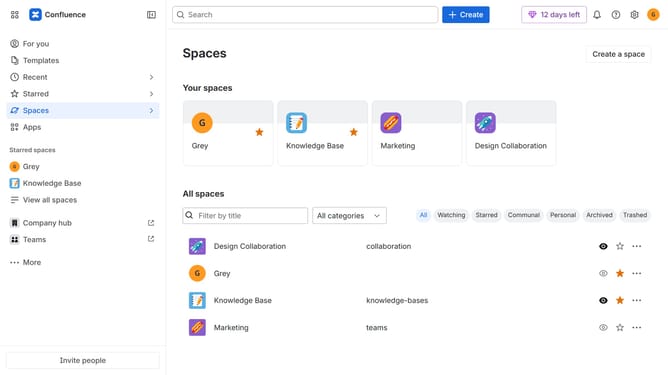
- First click on "Spaces" in the left sidebar
- Next click on the "View all spaces" option from the pop-up menu
- Click on the space you want to export to open it
- In the left sidebar, click on the three dots menu next to the space name
- After that, click on "Space settings" in the dropdown menu
- In the left panel, click on "General"
- Then, click on "Export space" in the submenu
- Next, select the "CSV" option under "Flie format"
- Then, click on the "Export Space" button
- The export process will now begin
- Finally, once the export is complete, click the “Download” button to download the CSV file
Why should you download a space in CSV format in Confluence
Confluence is a powerful collaboration tool that enables seamless team communication and information sharing.
Downloading a space in CSV format in Confluence allows users to easily export essential data into a structured and accessible format.
This feature is particularly advantageous for data analysis, allowing team members to sort, filter, and analyze information efficiently outside the platform.
By converting your space into CSV, you ensure that the insights and data collected in Confluence are readily available for various business applications.
Last update