How to configure the indexing language in Confluence
Here is how to configure the indexing language in confluence
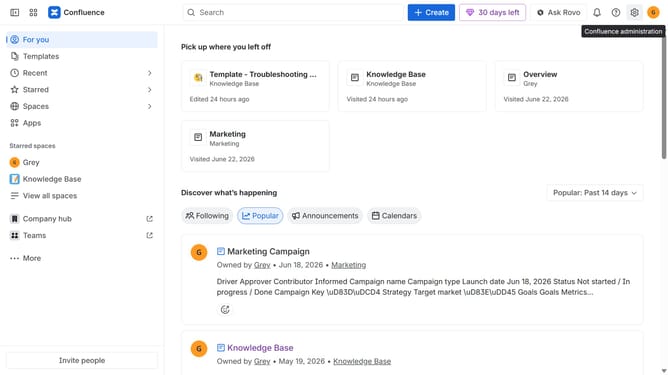
- First click on the gear icon in the top right header
- Find "Settings" in the Confluence administration menu
- Next click on "Configuration"
- After that, select "General configuration" in the submenu
- Scroll down to the "Internationalization" section
- Then click on the "Indexing language" dropdown menu
- Next select your preferred indexing language from the dropdown list
- Once done, click on the "Save indexing language changes" button
- Finally click on the "Change language" button in the confirmation dialog
Why should you configure the indexing language in Confluence
Confluence is a powerful collaborative workspace where teams can create, share, and manage content with ease.
Configuring the indexing language in Confluence allows content to be searched in the most efficient manner specific to the language needs of a team. This feature ensures that search results are relevant and easily accessible, enhancing productivity and saving time.
By tailoring the indexing language, teams can appreciate more accurate content retrieval, which is invaluable for multilingual teams, supporting better international collaboration.
Last update